Why Businesses Use WhatsApp for Customer Communication and Marketing
Why businesses use WhatsApp for customer communication and marketing, what you can send, and how to set it up in 7 steps.
Contents▾
- Key facts at a glance
- What is WhatsApp for customer communication and marketing?
- Why do businesses use WhatsApp? 6 reasons
- What can businesses send on WhatsApp?
- How to use WhatsApp for customer communication and marketing: 7 steps
- Three templates you can copy
- How do businesses use WhatsApp by industry?
- A sample setup you can copy
- What are the rules and mistakes to avoid?
- How do you measure whether WhatsApp works?
- When does ChatDesq make sense?
- Frequently Asked Questions
- Why do businesses use WhatsApp for customer communication?
- Is WhatsApp good for marketing?
- Can I send marketing messages without opt-in?
- Do I need the WhatsApp Business API?
Customers already chat on WhatsApp all day. Businesses that meet them there answer faster, send useful updates and run offers that people actually read. This guide explains why businesses use WhatsApp for customer communication and marketing, what you can send, and how to set it up in seven steps.
In this guide: 6 reasons · message types · 7 setup steps · rules · metrics
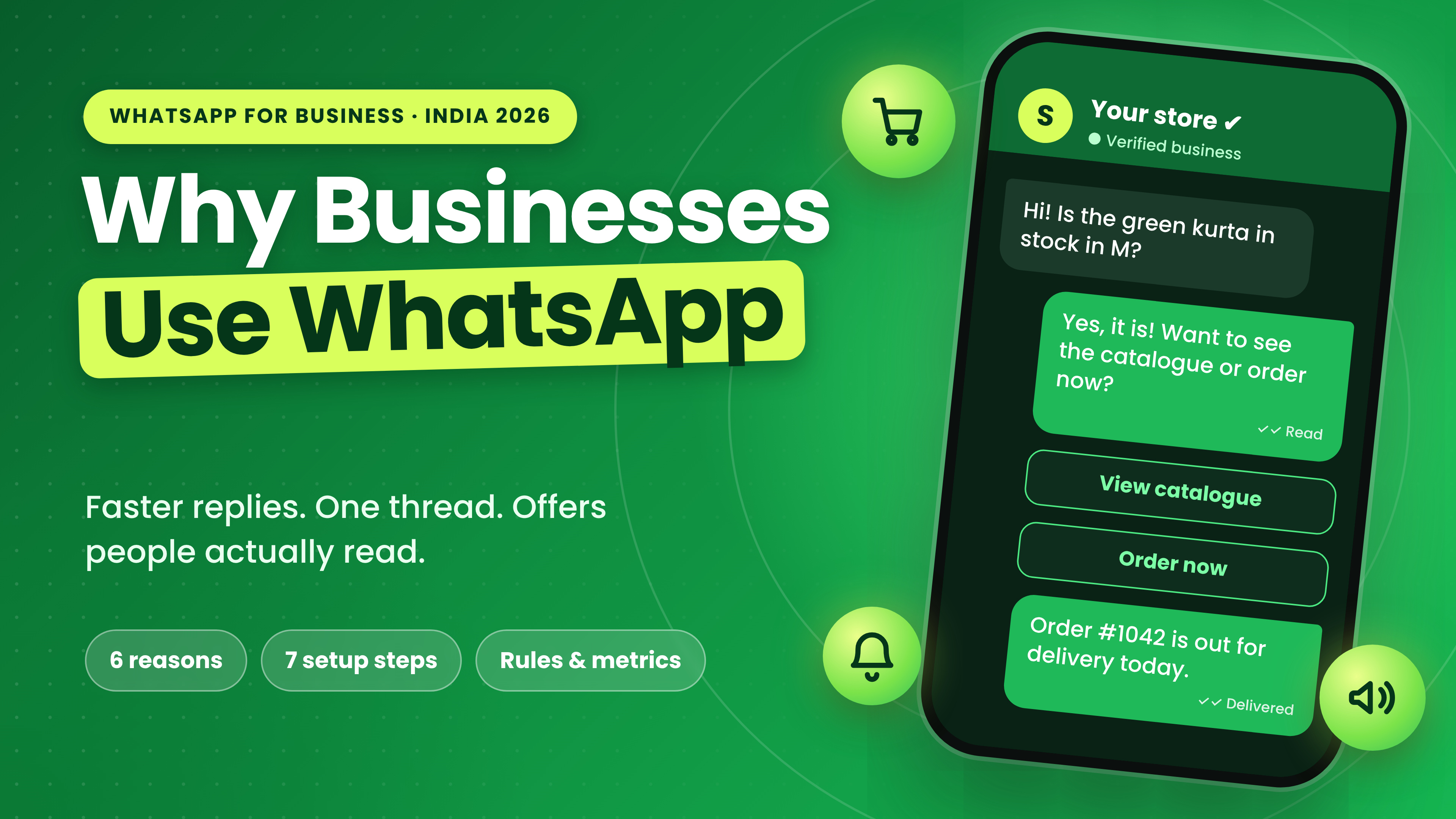
Why businesses use WhatsApp: reach, speed, engagement, low friction, trust and one thread, shown around a store chat with order updates.
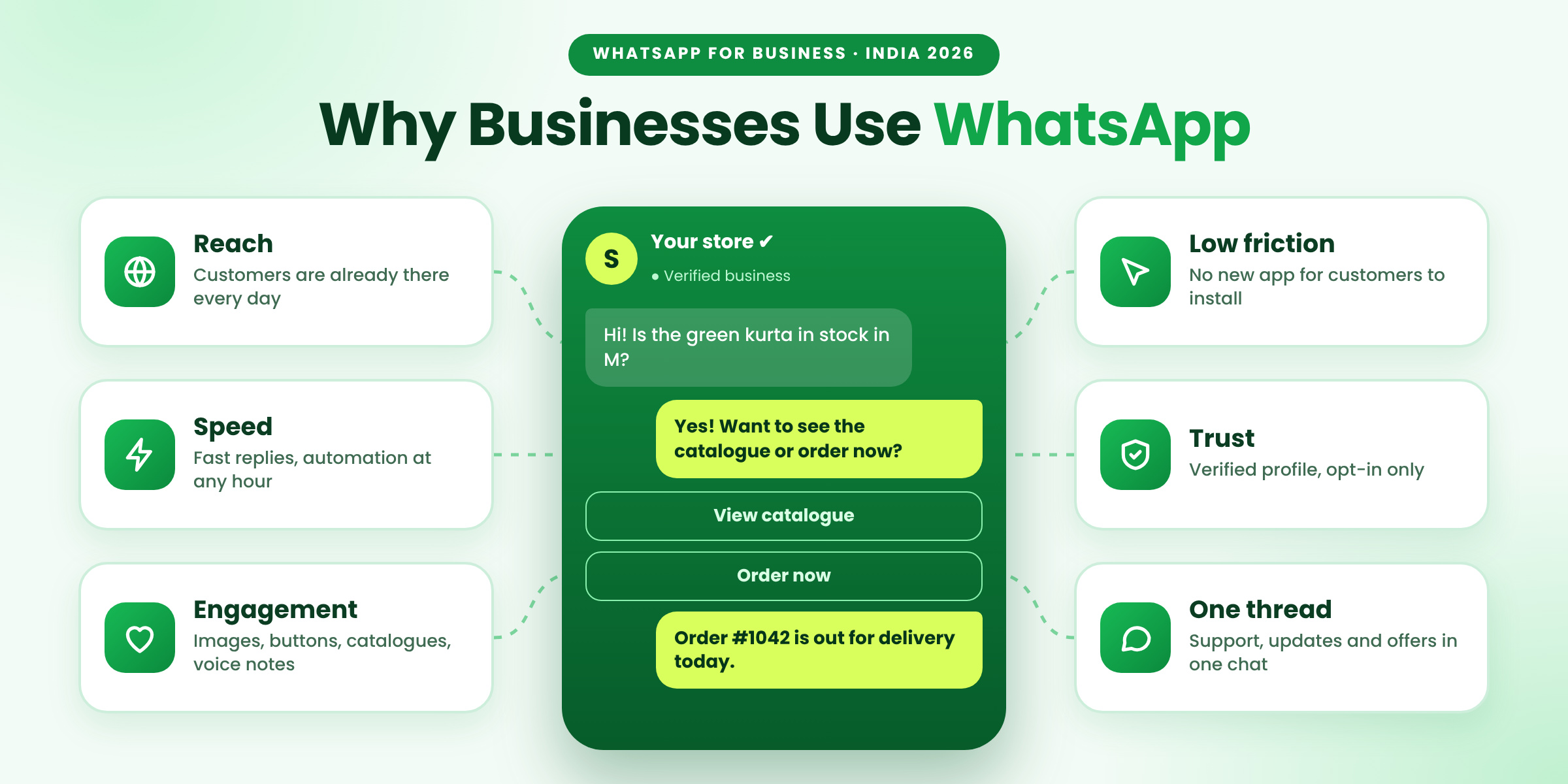
Figure 1: Why businesses use WhatsApp for customer communication and marketing
Quick answer: Businesses use WhatsApp for customer communication and marketing because customers already use it daily, chats are fast and personal, and the WhatsApp Business API adds automation, a shared inbox and approved templates for updates and offers. To start, get API access, collect opt-ins, write templates, automate one flow and measure.
Key facts at a glance
- Best for: D2C, retail, education, clinics and real estate teams that talk to customers daily.
- Needs: customer opt-in, the WhatsApp Business API through a provider and Meta-approved templates.
- Golden rule: be helpful first, promotional second, and always offer a human.
What is WhatsApp for customer communication and marketing?
It means using WhatsApp as a business channel to answer questions, send order and appointment updates, handle support and share permission-based offers. Communication is two-way chat that the customer starts. Marketing is a business-started message to someone who opted in. Both sit in one thread, so the customer sees one conversation.
Why do businesses use WhatsApp? 6 reasons
| Reason | What it gives you |
|---|---|
| Reach | More than 3 billion people use WhatsApp every month, and India is its largest market by industry estimates (Business Standard, checked 12 November 2026). Customers need no new app. |
| Speed | Chats happen in real time, and automation can answer common questions at any hour. |
| Engagement | Short, personal messages with images, buttons, catalogues, voice notes and PDFs. |
| Low friction | A click-to-chat ad, QR code or website button starts a conversation in one tap. |
| Trust | Encrypted chats and verified business profiles. |
| One thread | Support, orders, reminders and offers share one history, visible to every agent. |
What can businesses send on WhatsApp?
Rules depend on who started the chat. When a customer messages you, a 24-hour window opens and you can reply freely. After it closes, business-started messages need an approved template.
The 24-hour window: a customer writes first and you can reply freely; after it closes you need an approved template. Chats from a Click to WhatsApp ad get a free window of up to 7 days after you reply.
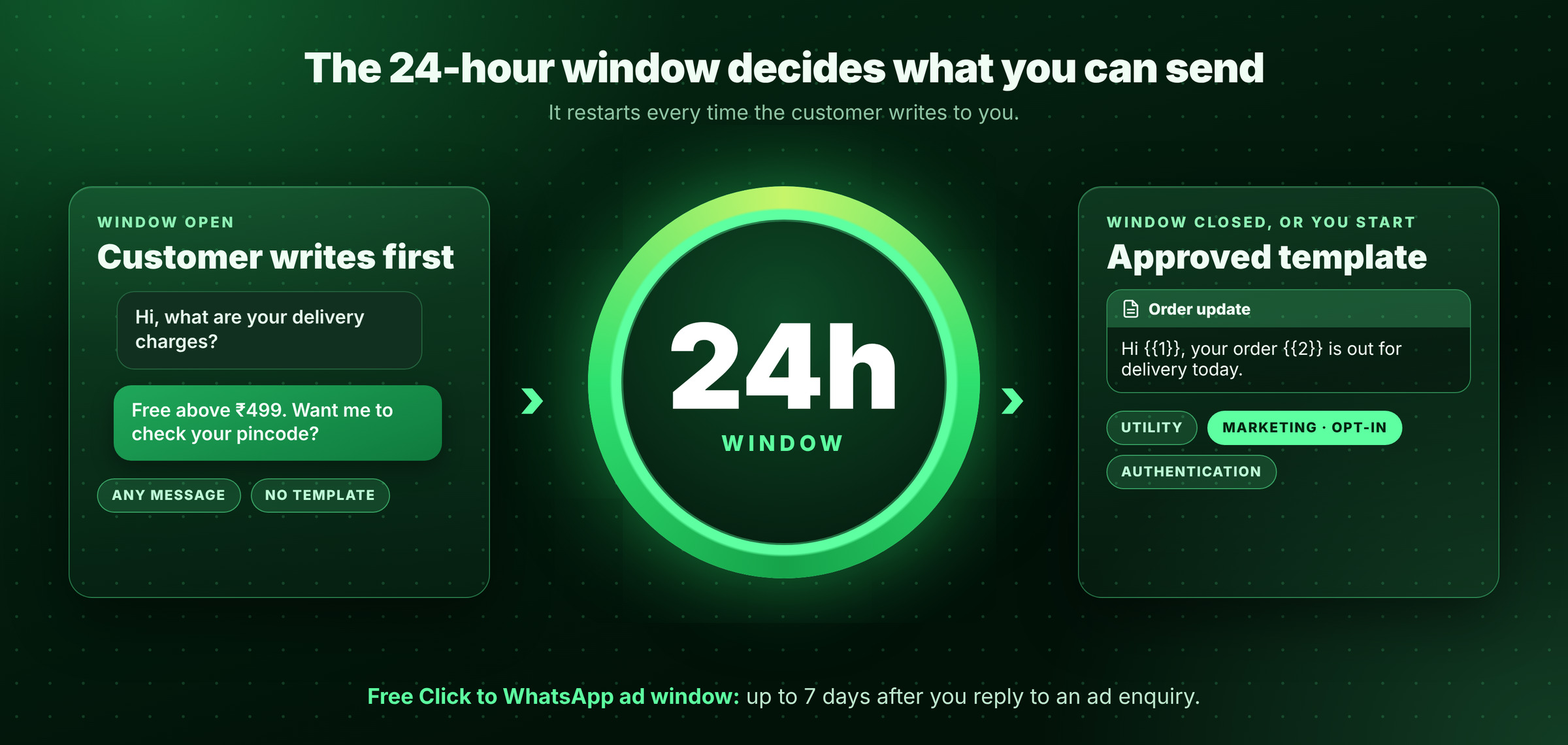
Figure 2: The 24-hour window decides what you can send
| Message type | Use it for | Template needed? |
|---|---|---|
| Service | Answering a customer who wrote in the last 24 hours | No |
| Utility | Order, delivery, payment and appointment updates | Yes |
| Marketing | Offers, launches and back-in-stock alerts, opt-in only | Yes |
| Authentication | One-time codes | Yes |
Cost check: on ChatDesq, marketing templates cost ₹1.036 each excl. GST, with a ₹0 platform fee. Chats started from a Click to WhatsApp ad get a free window of up to 7 days after you reply (Meta pricing page). Rates change, so confirm before you budget. Estimate your spend with the WhatsApp cost calculator.
How to use WhatsApp for customer communication and marketing: 7 steps
Seven steps to start with WhatsApp: pick one job, get API access, collect opt-in, write templates, automate, add handoff, measure.
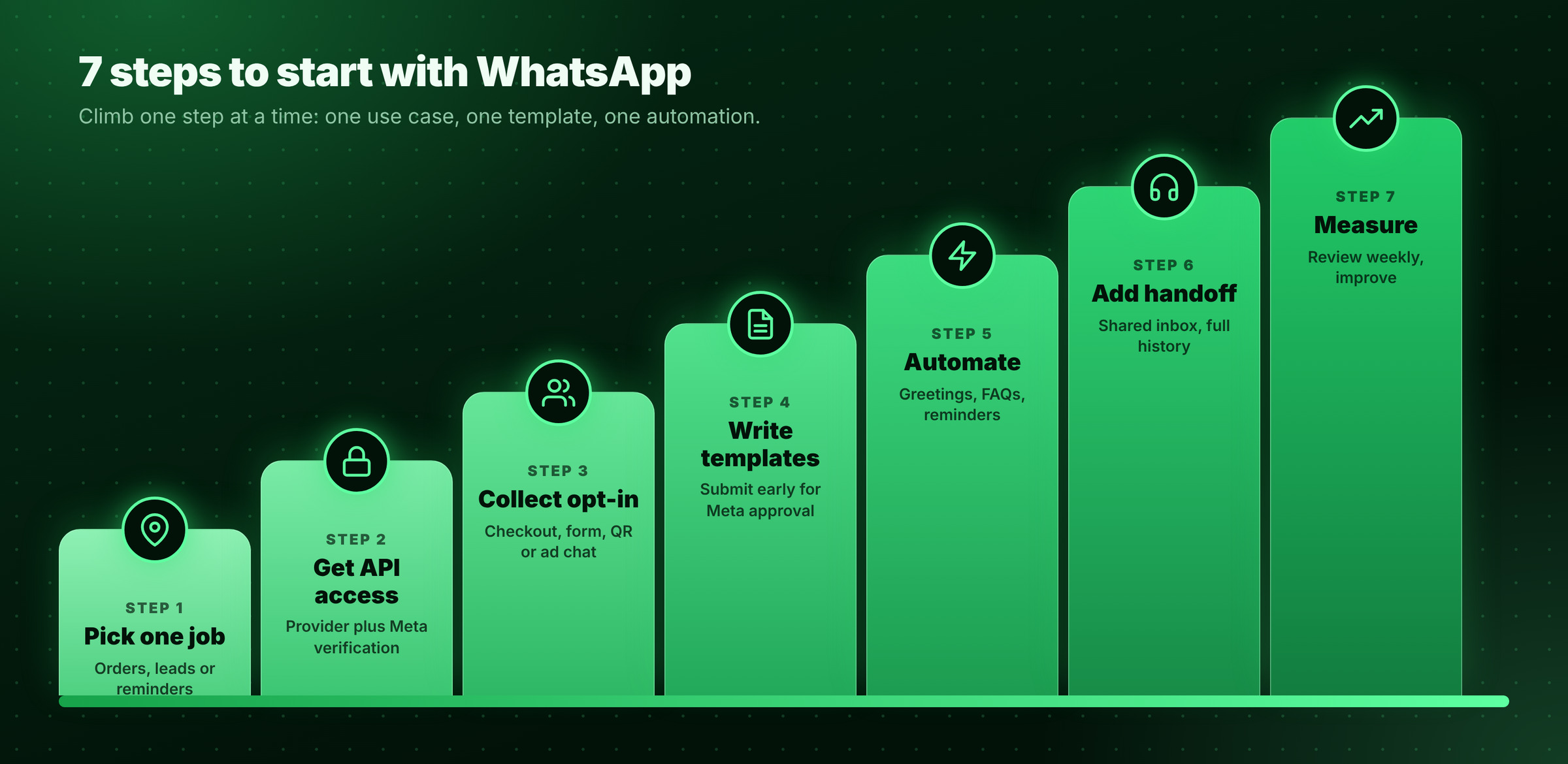
Figure 3: Seven steps to start with WhatsApp
- Pick one job first. Choose order updates, lead replies, appointment reminders or one offer. One job done well beats five done badly.
- Get WhatsApp Business API access. Choose a provider and complete Meta business verification. The free WhatsApp Business App suits one person chatting by hand. The API suits teams that need automation, several agents and templates.
- Collect opt-in. Use a checkout tick box, web form, QR code or ad chat. Save the source and date.
- Write templates. Submit early for Meta approval. Use one idea, one question and an opt-out line in marketing messages.
- Automate the routine. Use automation for greetings, FAQs, reminders and follow-ups. Stop the flow when the customer replies.
- Add a handoff. A shared inbox lets agents see the full chat history and take over.
- Measure weekly. Track replies, opt-outs and orders, then improve one thing at a time.
Three templates you can copy
Replace {{1}}, {{2}} and {{3}} with the customer's details. All three need Meta approval.
Utility · Order update
Hi {{1}}, your order {{2}} is out for delivery today. Track it here: {{3}}
Utility · Appointment reminder
Hi {{1}}, a reminder for your appointment on {{2}} at {{3}}. Reply YES to confirm or RESCHEDULE to change it.
Marketing · Offer
Hi {{1}}, {{2}} is now back in stock. Reply YES to reserve yours. Reply STOP to opt out.
How do businesses use WhatsApp by industry?
| Industry | WhatsApp job | What to track |
|---|---|---|
| D2C and retail | Order status, returns, back-in-stock and reorder offers | Repeat orders |
| Education | Enquiry replies, demo reminders, fee reminders | Demos attended |
| Clinics and salons | Booking and appointment reminders | Fewer no-shows |
| Real estate | Brochures, site-visit booking, follow-ups | Visits booked |
A sample setup you can copy
Start with one conversation flow and one after-sale flow, then reuse the pattern for other use cases.
One chat from first enquiry to repeat order: enquiry, order update, support, reminder and offer.
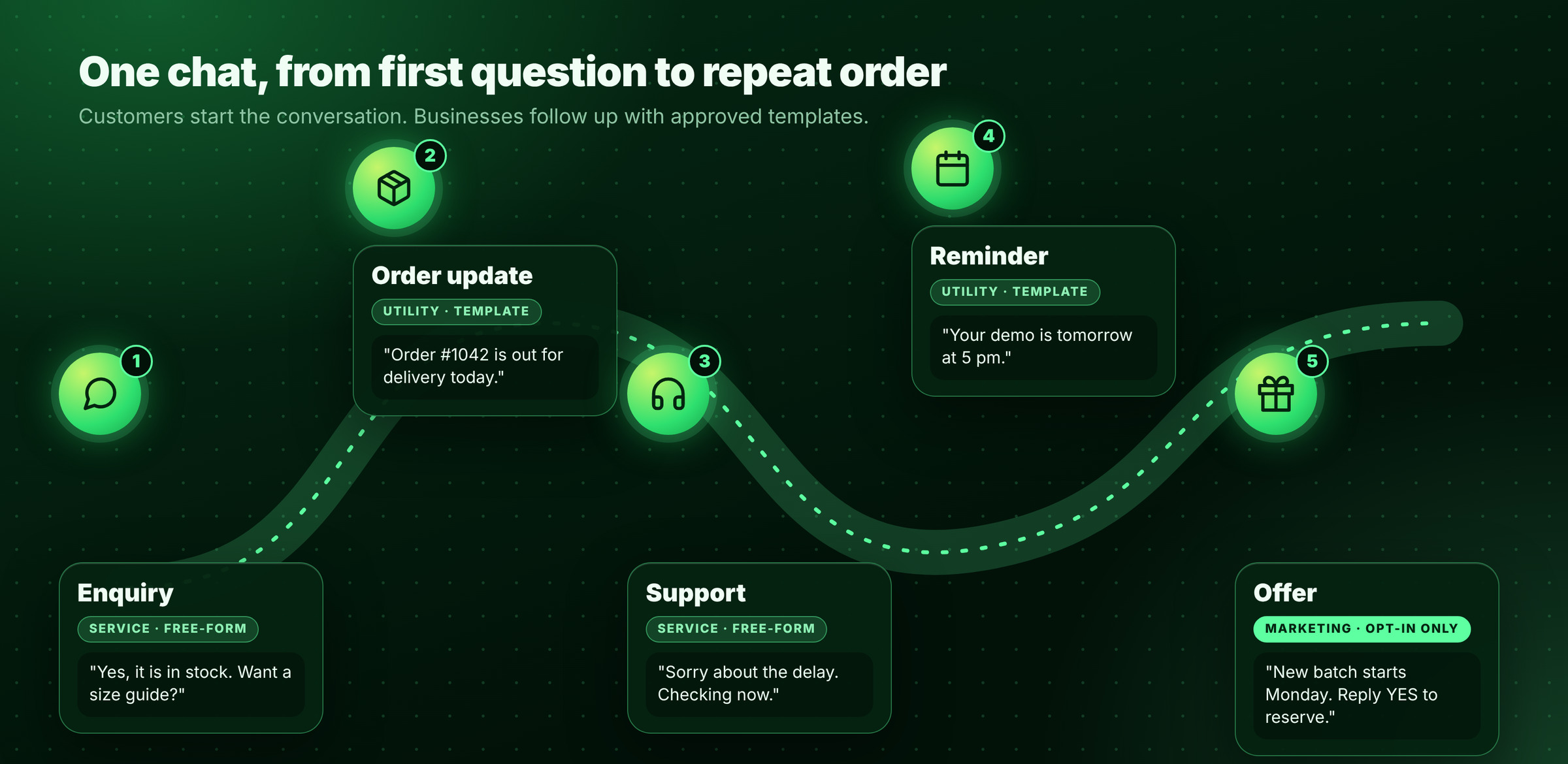
Figure 4: One chat from first enquiry to repeat order
What are the rules and mistakes to avoid?
- Get opt-in. Never message bought lists.
- Use approved templates for business-started chats, and add an opt-out line to marketing.
- Do not over-message. Send fewer, more useful offers, because blocks and reports hurt your quality rating.
- Offer a human. A bot that cannot hand over is the most common failure.
- Never collect passwords, OTPs or card numbers in chat.
How do you measure whether WhatsApp works?
Review these weekly for the first month. Do not judge by messages sent, because a message that annoys customers is worse than none.
WhatsApp scorecard with six sample metrics: first response time, reply rate, opt-in growth, opt-out and block rate, orders or bookings, and template quality.
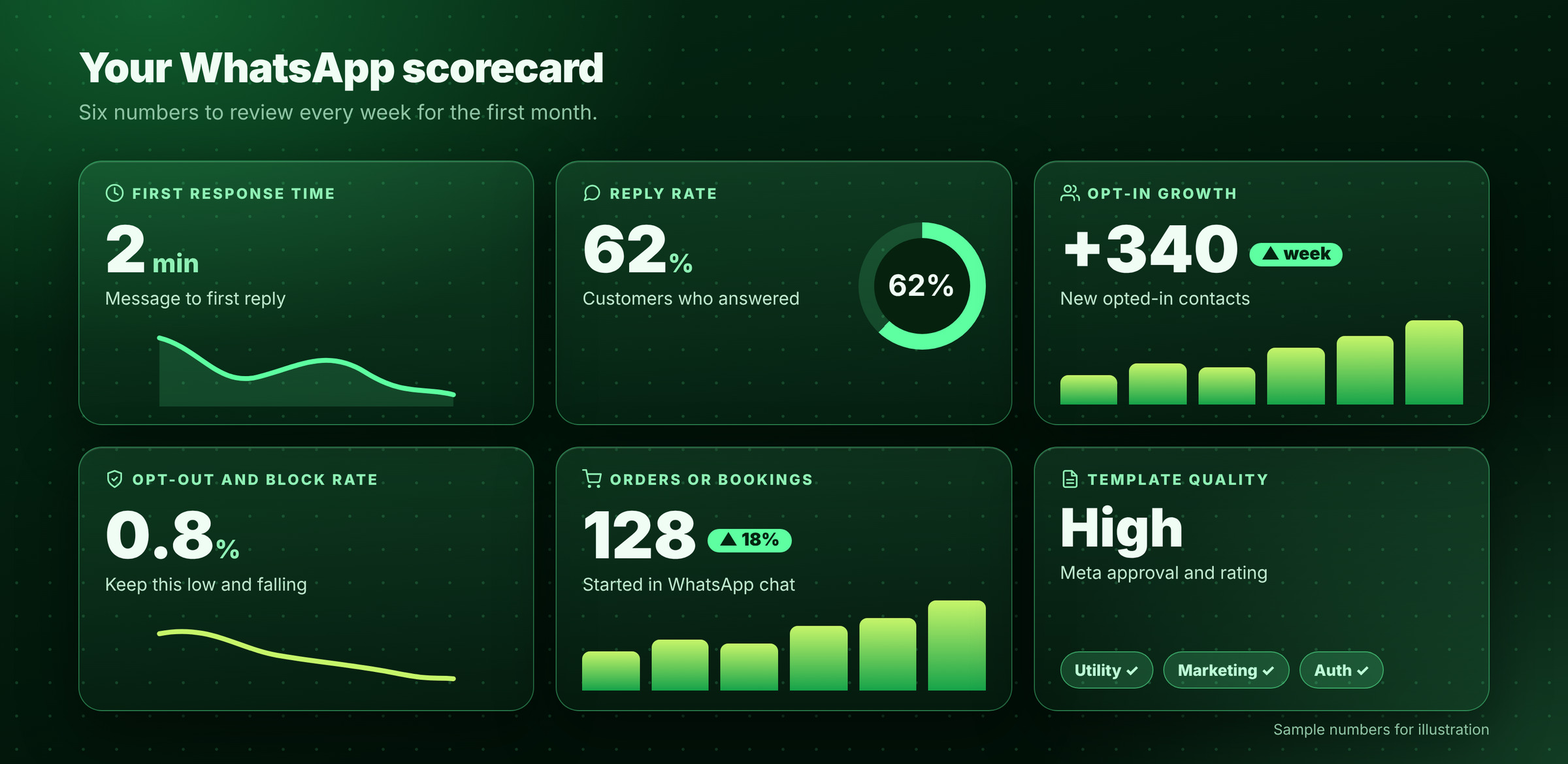
Figure 5: Six WhatsApp metrics to review each week
When does ChatDesq make sense?
If customers wait for replies, several agents share one phone, or offers go out without opt-in records, it is time to move to the API. ChatDesq combines an official WhatsApp Business API connection, a shared inbox, no-code automations and customer profiles.
- ₹0 platform fee. Pay only for the messages you send.
- No quarterly or yearly plan. Top up from ₹500 and stop whenever you like.
- A real person replies within 2 hours, every day, 10:00-19:00 IST.
Ready to reach customers where they already chat? See ChatDesq pricing.
Frequently Asked Questions
Why do businesses use WhatsApp for customer communication?
Customers already use it daily, replies are fast and personal, and one thread holds support, updates and offers.
Is WhatsApp good for marketing?
Yes, when messages go only to opted-in customers, use approved templates and stay useful rather than frequent.
Can I send marketing messages without opt-in?
No. Get permission first and record where and when the customer agreed.
Do I need the WhatsApp Business API?
Yes, if you need automation, several agents, CRM links or template campaigns. The WhatsApp Business App covers manual chats.
Bottom line: businesses use WhatsApp because customers are already there. Start with one job, collect opt-in, keep messages useful and hand over to a person fast.
Sources: Meta pricing documentation; Business Standard, "From chats to commerce: Why India is WhatsApp's most important market". Rates checked 12 November 2026.
Written by
Product Manager, ChatDesq
Akash leads product at ChatDesq. He writes about WhatsApp Business API pricing, campaigns and customer support for Indian businesses.