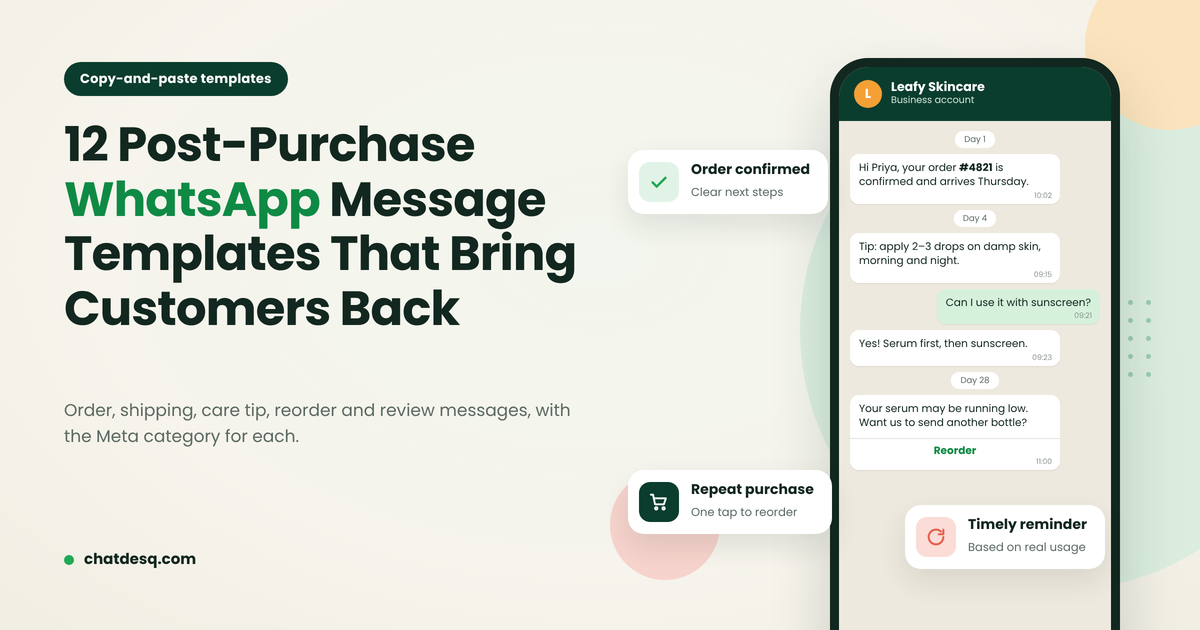
7 WhatsApp Marketing Mistakes Small Businesses Should Avoid
WhatsApp marketing mistakes small businesses make, from messaging without consent to slow replies, with a practical fix for each.
Contents▾
- Why WhatsApp Marketing Often Fails for Small Businesses
- 1. Sending Marketing Messages Without Consent
- 2. Sending the Same Broadcast to Every Customer
- 3. Taking Too Long to Reply to WhatsApp Leads
- 4. Failing to Follow Up With Interested Leads
- 5. Using WhatsApp Only to Send Promotions
- 6. Managing Every WhatsApp Conversation Manually
- 7. Ignoring Performance and Customer Feedback
- Where to Start
- When an Automation Platform Makes Sense
- Frequently Asked Questions
- What are the most common WhatsApp marketing mistakes?
- Is WhatsApp marketing effective for small businesses?
- How can small businesses automate WhatsApp marketing?
- What is the difference between the WhatsApp Business App and the API?
- How often should a small business send WhatsApp marketing messages?
- What is the best WhatsApp marketing software for small businesses?
| Quick answer |
|---|
| Small businesses lose WhatsApp leads when they message without consent, send one broadcast to everyone, reply slowly, skip follow-ups, only push offers, run every chat from one inbox or never measure results. Fix the basics first: collect clear opt-ins, segment your contacts, reply quickly and hand complex questions to a person. Then add tools: a shared inbox and automation once volume grows. Results vary by business, so test and track outcomes. |
Why WhatsApp Marketing Often Fails for Small Businesses
| # | Mistake | The fix |
|---|---|---|
| 1 | Messaging people without consent | Collect clear opt-ins; make opting out easy |
| 2 | Sending one broadcast to everyone | Segment by interest, stage and purchase |
| 3 | Replying slowly to new leads | Acknowledge instantly, then route to a person |
| 4 | Not following up | Use a short, respectful follow-up sequence |
| 5 | Only sending promotions | Mix helpful updates with relevant offers |
| 6 | Managing every chat manually | Move to a shared inbox as you grow |
| 7 | Ignoring results and feedback | Track outcomes; test one change at a time |
WhatsApp marketing for small business means using WhatsApp to talk with customers and prospects: sharing relevant updates, answering questions and supporting enquiries, bookings and sales. It rarely fails because a business sends too few messages. It fails on consent, relevance, reply speed and follow-up. Each mistake below comes with a fix and an example you can adapt.
1. Sending Marketing Messages Without Consent
Having a phone number is not permission. Messaging bought lists or people who never opted in leads to blocks, complaints and lost trust. WhatsApp’s Business Messaging Policy expects businesses to have opt-in before sending business-initiated messages, and to honour opt-out requests.
- Ask clearly. Offer opt-in in plain words at a natural moment, such as a form, checkout or brochure request.
- Set expectations. Say what you will send and roughly how often.
- Keep records. Note when and how each person opted in.
- Make stopping easy. Honour “STOP” requests quickly.
Example: A coaching institute invites people to opt in when they request a course brochure, instead of messaging every number it can find. Rules vary by country, so check current WhatsApp policy and local law. This is not legal advice.
2. Sending the Same Broadcast to Every Customer
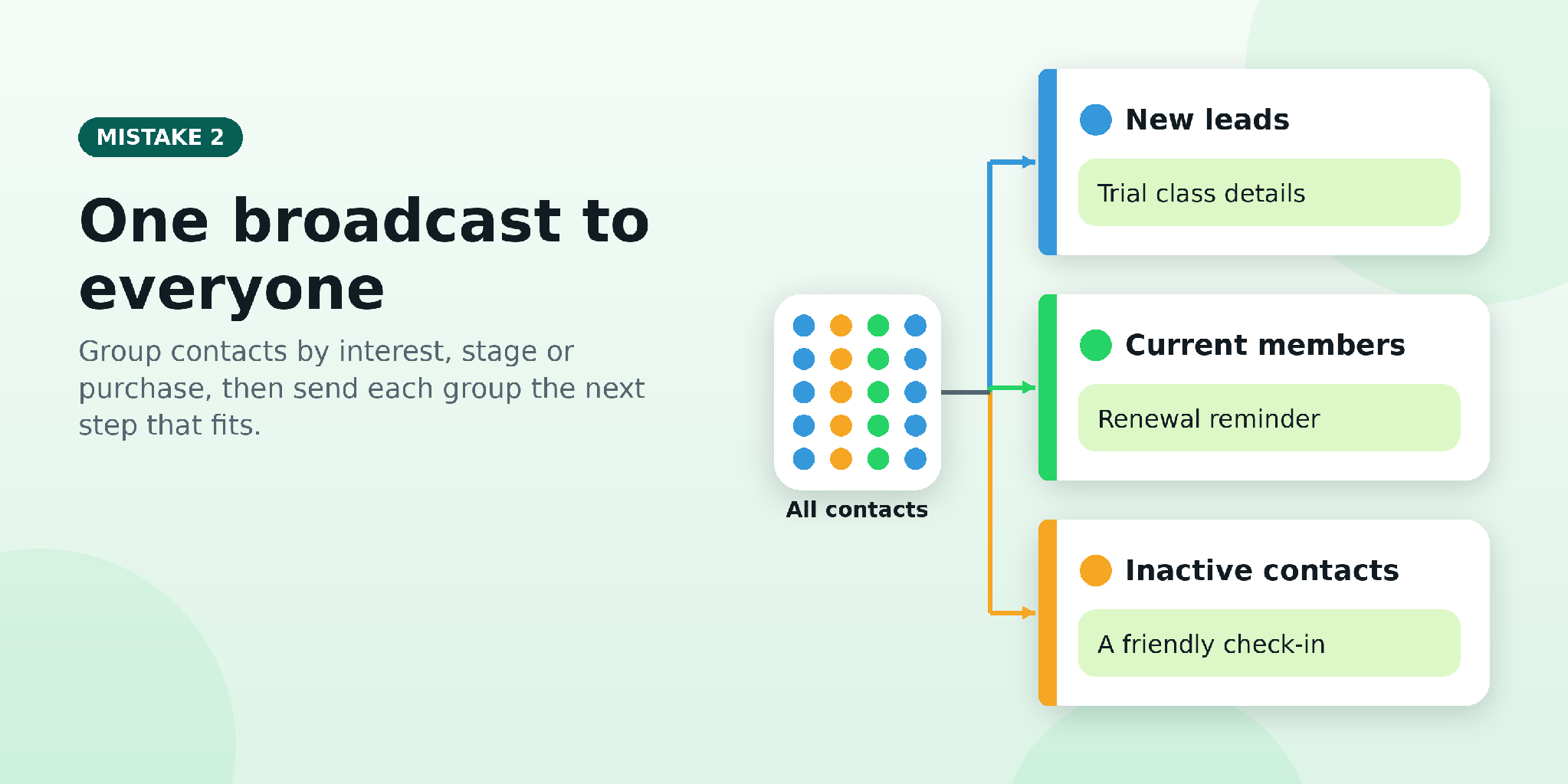
New leads, repeat customers and inactive contacts want different things. One identical message feels irrelevant to most of them, which leads to muted chats and opt-outs.
- Segment by what people told you or did: interest, customer stage, prior purchase or stated preference.
- Match the call to action. Send each group the next step that fits it.
- Respect the setup. On the WhatsApp Business Platform, business-initiated messages go out as Meta-approved templates, and what you can send depends on your setup. Good WhatsApp marketing software makes segmentation and consent tracking easier, but “bulk” should never mean blasting a large list.
Example: A fitness studio sends trial-class details to new leads and renewal reminders to current members, rather than the same offer to both.
3. Taking Too Long to Reply to WhatsApp Leads
Prospects comparing providers or asking for a quote often message several businesses at once. A slow reply can cost you the lead, though results vary by business. There is a policy side too: you can reply with free-form messages within 24 hours of a customer’s last message, and after that, business-initiated messages need an approved template. If a customer messages you from a click-to-WhatsApp ad and you reply within 24 hours, Meta’s free entry-point window opens, which since September 28, 2026 can last up to seven days.
- Acknowledge instantly. A WhatsApp automation tool can confirm the enquiry in seconds.
- Answer common questions and ask two or three qualifying questions.
- Route the rest to a person. WhatsApp’s policy expects automation to offer a clear path to a human, so a WhatsApp chatbot for business should be a first responder, not a replacement for your team.
Example: A real estate agency acknowledges a property enquiry, asks for preferred location and budget, then routes the lead to the right sales representative.
4. Failing to Follow Up With Interested Leads
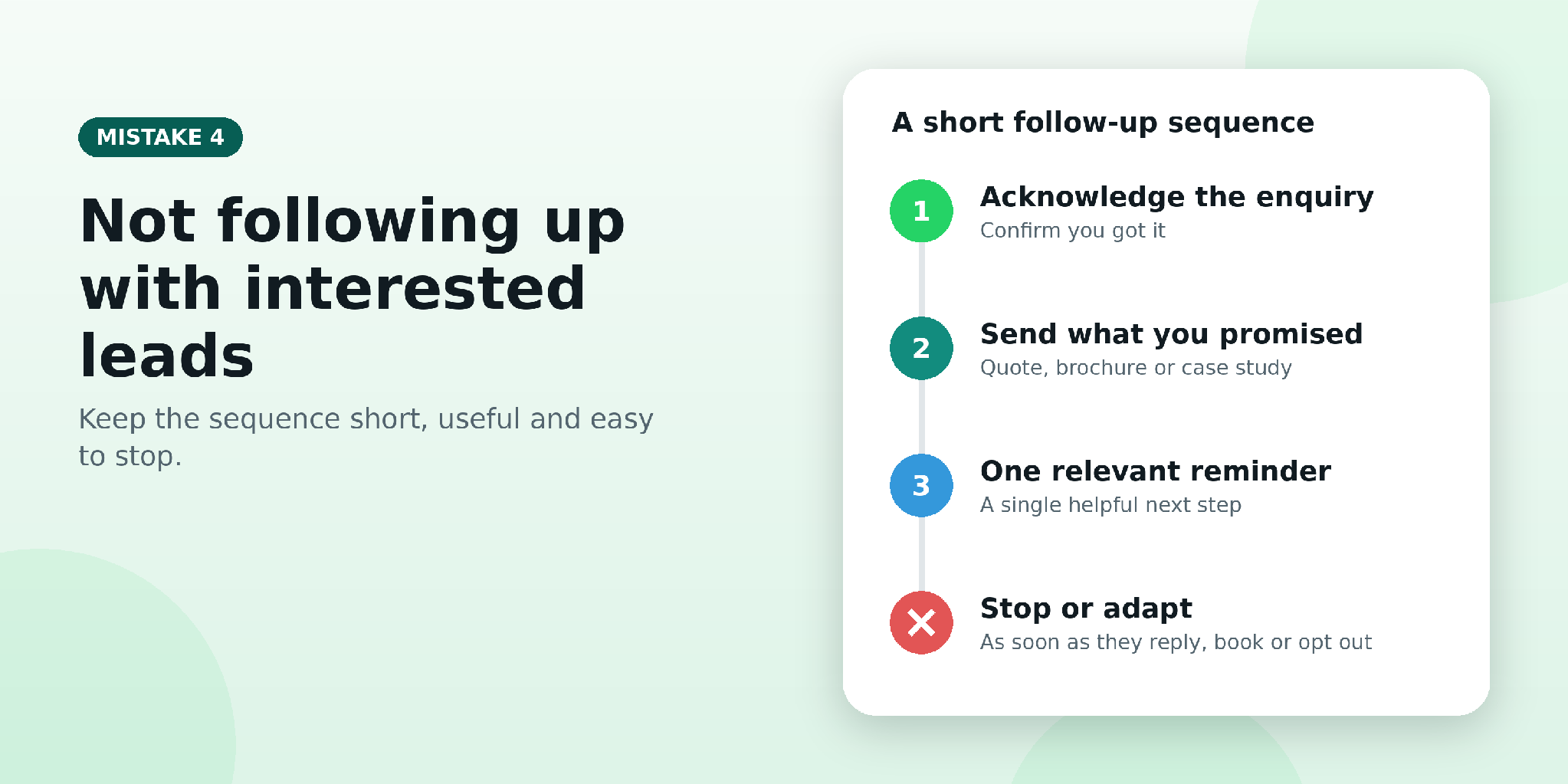
A fast first reply is only half the job. Leads go cold when callbacks are forgotten, quotations never go out or reminders live only in someone’s memory. Keep the sequence short and useful:
- Acknowledge the enquiry.
- Send the information you promised.
- Add one relevant reminder or next step.
- Stop or adapt as soon as the person replies, books or opts out.
With WhatsApp marketing automation or lead follow-up automation, these reminders run on schedule without anyone chasing manually. There is no universal number of follow-ups, so let customer replies and preferences set the pace.
Example: A software company follows up on a demo request by sending the promised case study and an optional booking link, instead of repeatedly asking, “Are you interested?”
The seven mistakes and their fixes at a glance.
5. Using WhatsApp Only to Send Promotions
A channel that only pushes discounts trains customers to ignore it. Where people have agreed to hear from you, mix in product tips, order and appointment updates, answers to common questions and after-sales support. There is no magic promotion-to-value ratio, so let customer needs decide. If you have nothing useful to say, send nothing: relevance and permission matter more than volume.
Example: A skincare retailer shares product-use guidance and answers ingredient questions, alongside occasional relevant offers.
6. Managing Every WhatsApp Conversation Manually
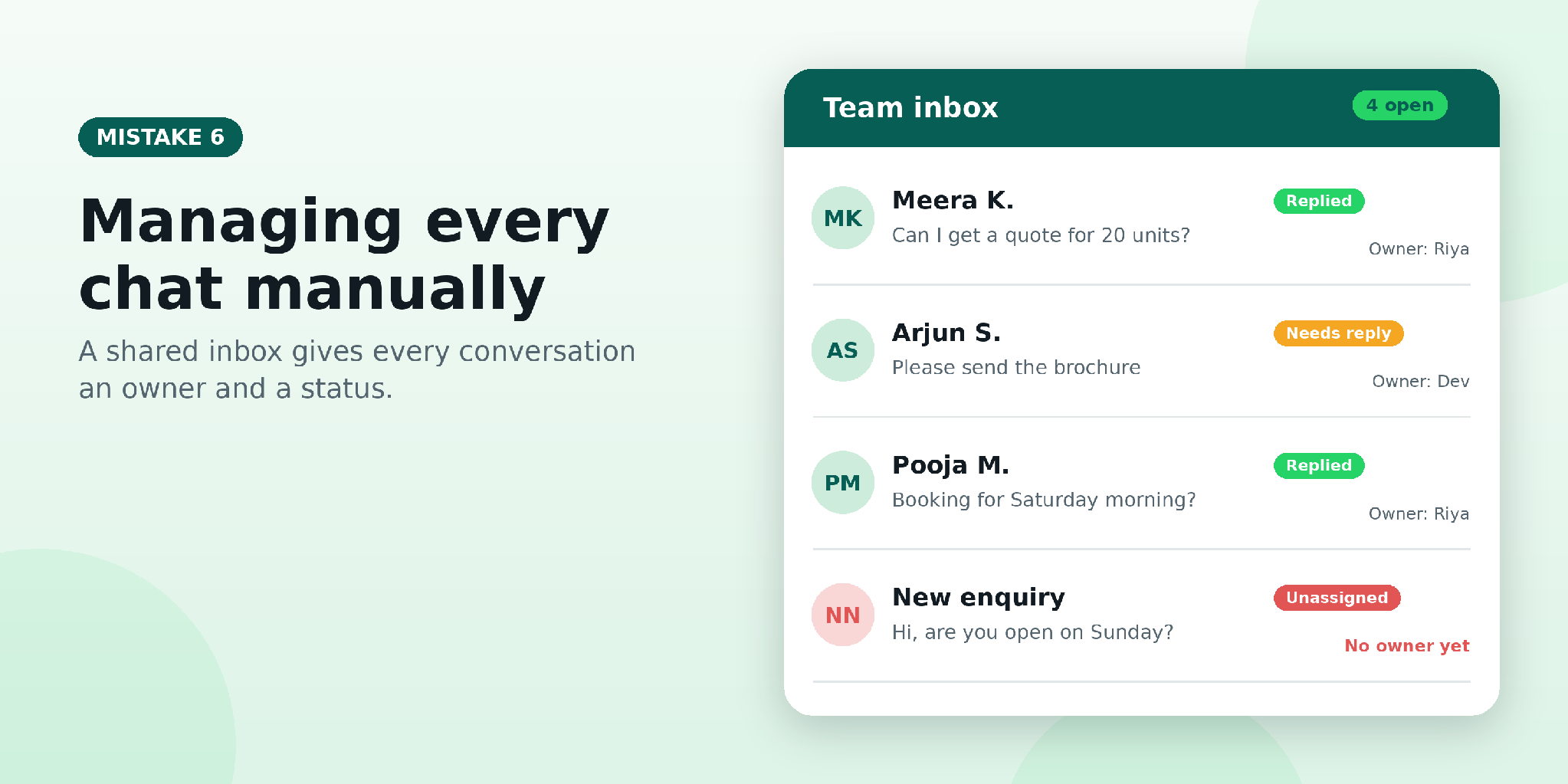
Watch for duplicate replies, unassigned leads, forgotten chats, inconsistent answers and no view of team performance. The WhatsApp Business App allows one primary phone plus four linked devices, with no roles or shared queue. The WhatsApp Business Platform (the API) works through software, which can add a shared inbox, CRM integrations and automation. Not every small business needs it yet; see our guide to WhatsApp Business App vs API for the differences and costs.
When conversations pile up, WhatsApp CRM software or a shared inbox keeps history in one place, assigns ownership and tracks follow-ups.
Example: A small agency assigns each incoming enquiry to a representative and can see which conversations still need a response.
7. Ignoring Performance and Customer Feedback
Messages sent is not a result. Track what happens next: delivery (where available), replies, qualified leads, bookings, sales, opt-outs and complaints. Which numbers you see depends on your tool and setup. Change one variable at a time, such as the segment, send time or call to action, and compare the outcomes that matter. Watch opt-outs after every send. A spike usually means the wrong segment or too many messages, so pause and fix that before the next campaign.
Example: A local service provider compares qualified enquiries and booked appointments from two relevant campaigns, instead of judging success by message volume alone.
Where to Start
- Review how customers opt in to marketing messages.
- Segment contacts by their needs and preferences.
- Set a clear process for replying to new enquiries.
- Automate appropriate follow-ups and hand complex issues to a person.
- Track qualified leads, conversions, opt-outs and complaints.
Before you hit send: right audience, permission, relevance, a clear call to action and an easy way to opt out.
When an Automation Platform Makes Sense
Look beyond manual chats when enquiries sit unanswered, staff retype the same replies or follow-ups depend on memory. A WhatsApp marketing platform brings conversations, follow-ups and reporting into one place. ChatDesq offers an official Cloud API connection, a shared inbox, Meta-approved broadcasts, no-code automations and coexistence for eligible numbers. Ready to stop losing leads in your WhatsApp inbox? Explore ChatDesq’s shared inbox, AI-powered WhatsApp conversations or the full platform.
Frequently Asked Questions
What are the most common WhatsApp marketing mistakes?
Messaging without consent, sending one generic broadcast, replying slowly, missing follow-ups, over-promoting, managing chats manually and not measuring results. Each improves with permission, relevant messages, clear ownership of every conversation and simple tracking.
Is WhatsApp marketing effective for small businesses?
It can be. WhatsApp supports enquiries, bookings and sales when messages are relevant and permission-based. Results depend on audience fit, offer, execution and follow-up, so test and refine rather than expect guaranteed sales.
How can small businesses automate WhatsApp marketing?
Automate instant acknowledgements, answers to common questions, lead routing, reminders and follow-up sequences, and keep a clear path to a person. Exact features depend on your tool and WhatsApp setup.
What is the difference between the WhatsApp Business App and the API?
The App is a free mobile app with basic tools for smaller teams. The WhatsApp Business Platform, or API, works through software and supports shared inboxes, integrations and automation. Confirm current features with WhatsApp.
How often should a small business send WhatsApp marketing messages?
There is no universal ideal. Follow customer preferences, WhatsApp’s current policies and your campaign results, watch opt-outs and complaints, and always make it easy to stop.
What is the best WhatsApp marketing software for small businesses?
Compare options on consent handling, campaigns, automation, team inbox, integrations, analytics, support, pricing and ease of use. The right choice depends on your team size, volume and goals, so test a shortlist on your real workflow.
Sources: WhatsApp Business Messaging Policy and Business Platform documentation (opt-in, 24-hour window, templates, automation); ChatDesq’s WhatsApp Business App vs API guide (devices, free entry-point window).
Written by
Product Manager, ChatDesq
Akash leads product at ChatDesq. He writes about WhatsApp Business API pricing, campaigns and customer support for Indian businesses.