WhatsApp Catalog: How to Set It Up and Sell
Learn how to set up a WhatsApp catalog, share your link and take orders in chat.
Contents▾
- Key facts at a glance
- What is a WhatsApp catalog?
- How does a WhatsApp catalog work?
- How to set up a WhatsApp catalog in 7 steps
- How do you write a catalog item that sells?
- How do you share your WhatsApp catalog link?
- How do you sell from your WhatsApp catalog?
- Business app or Business Platform: which catalog setup?
- What rules apply to catalog items?
- What mistakes should you avoid?
- How do you measure whether your catalog works?
- When does ChatDesq make sense?
- Frequently Asked Questions
- How many products can I add to a WhatsApp catalog?
- Is the WhatsApp catalog free?
- Can I have more than one catalog?
- Can customers pay inside WhatsApp?
- How long does catalog review take?
- Can I list services or digital products?
Quick answer: A WhatsApp catalog is a mini storefront inside WhatsApp where customers browse your products, prices and photos without leaving the chat. To set one up, open the WhatsApp Business app, go to Business tools, then Catalog, add items with photos and prices, group them into collections, then share the link and take orders in chat.
Key facts at a glance
- Best for: sellers who already take orders on WhatsApp: D2C brands, retailers, home businesses, salons and service providers.
- Cost: the catalog in the WhatsApp Business app is free.
- Limits: up to 500 items, up to 10 images per item, and one catalog per WhatsApp Business account.
- Review: new items and collections are checked by WhatsApp before customers see them, usually within a day.
- Two routes: the Business app, or a catalog connected through the WhatsApp Business Platform.
What is a WhatsApp catalog?
A WhatsApp catalog (also written WhatsApp catalogue) is a list of your products or services attached to your WhatsApp Business profile. Customers tap View catalog, scroll through photos and prices, and message you about what they like. It works like a shop window, not a full online store: the order still happens in chat.
You may also see it called a WhatsApp business catalog or WhatsApp product catalog. It suits sellers who already sell through conversations, because there is no website to host or maintain.
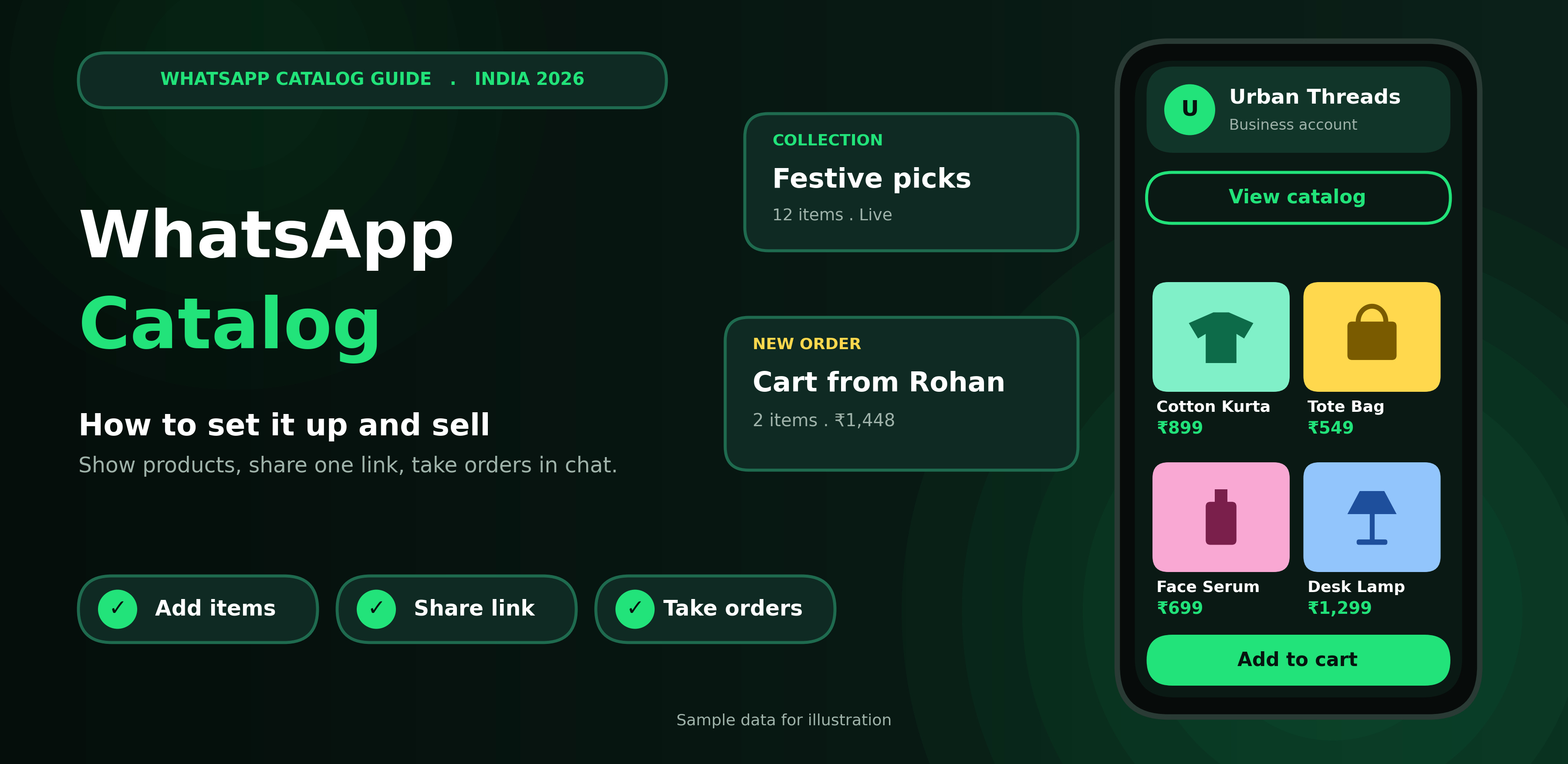
Figure 1: A WhatsApp catalog turns your business profile into a mini storefront (sample data)
How does a WhatsApp catalog work?
- A customer opens your profile and taps View catalog, or taps a link you shared.
- They browse items and collections.
- They add items to a cart, if the cart button is switched on.
- They send the cart to you as a chat message.
- You confirm stock, collect payment and ship.
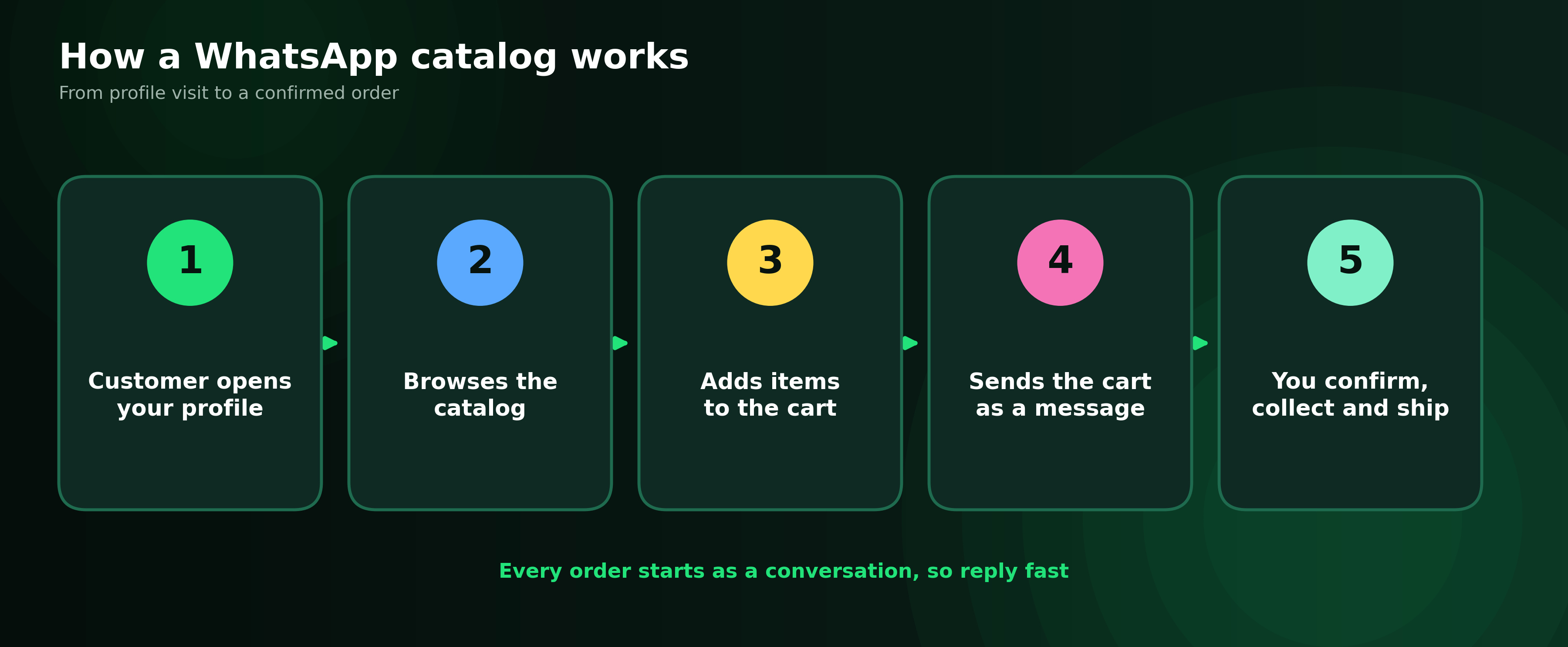
Figure 2: The five steps from profile visit to confirmed order
How to set up a WhatsApp catalog in 7 steps
People searching how to create a WhatsApp catalog usually want the Business app route. It needs only your phone and a few photos.
- Open Catalog. In the WhatsApp Business app, tap More (the three dots), then Business tools, then Catalog.
- Tap Add new item.
- Add photos. Upload up to 10 per item. The first one is the cover.
- Fill in the details. Add a name and price, then a description, website link and product code if you have them.
- Save. WhatsApp reviews the item before it goes live.
- Create collections. Tap Add new collection, name it and pick items, such as Bestsellers or Under ₹999.
- Turn on the cart. Open Catalog settings and switch on Add to cart if the option appears for your account.
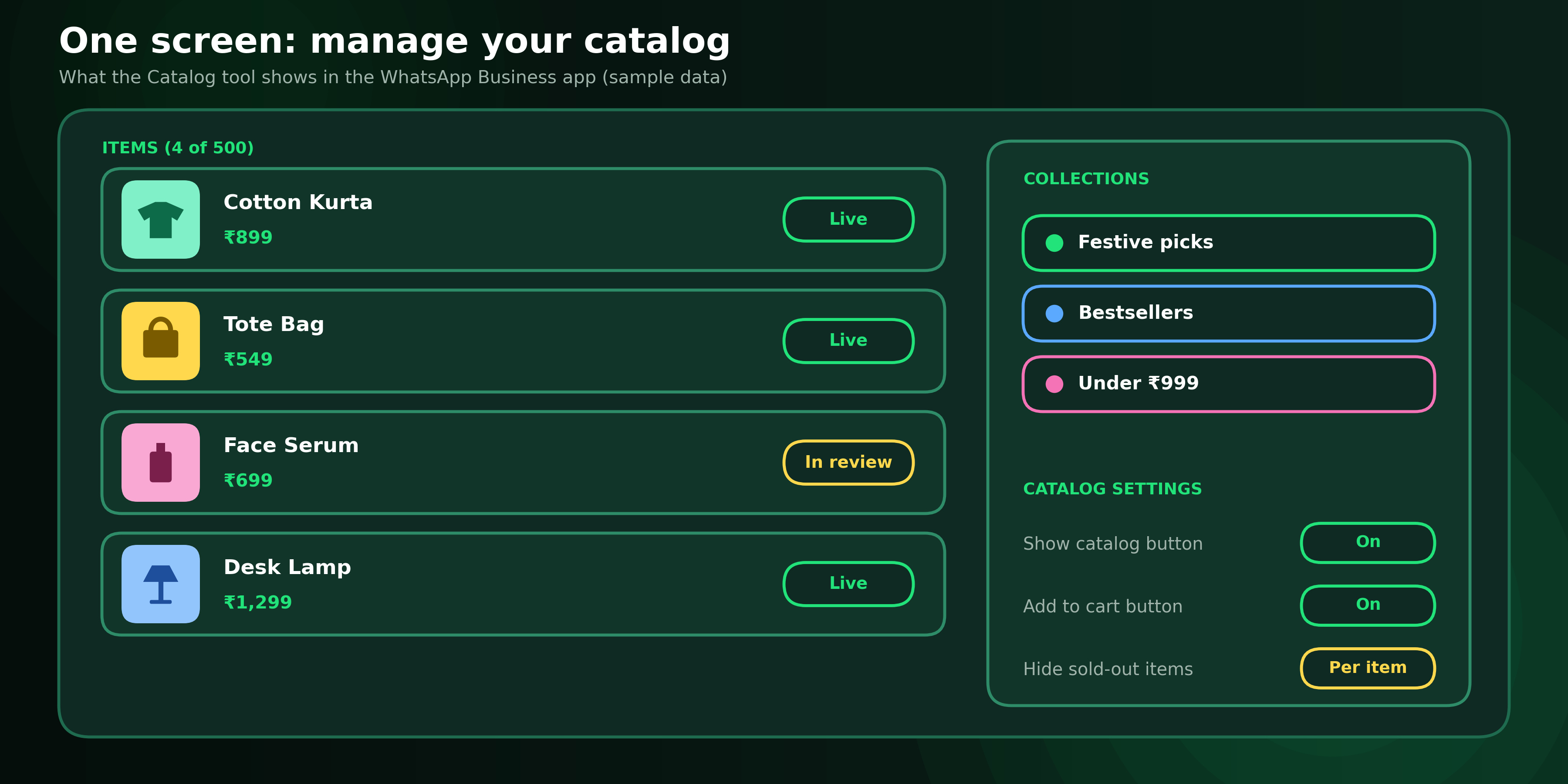
Figure 3: The Catalog tool lists items, collections and settings on one screen (sample data)
How do you write a catalog item that sells?
Customers decide in seconds, so fill all six fields properly.
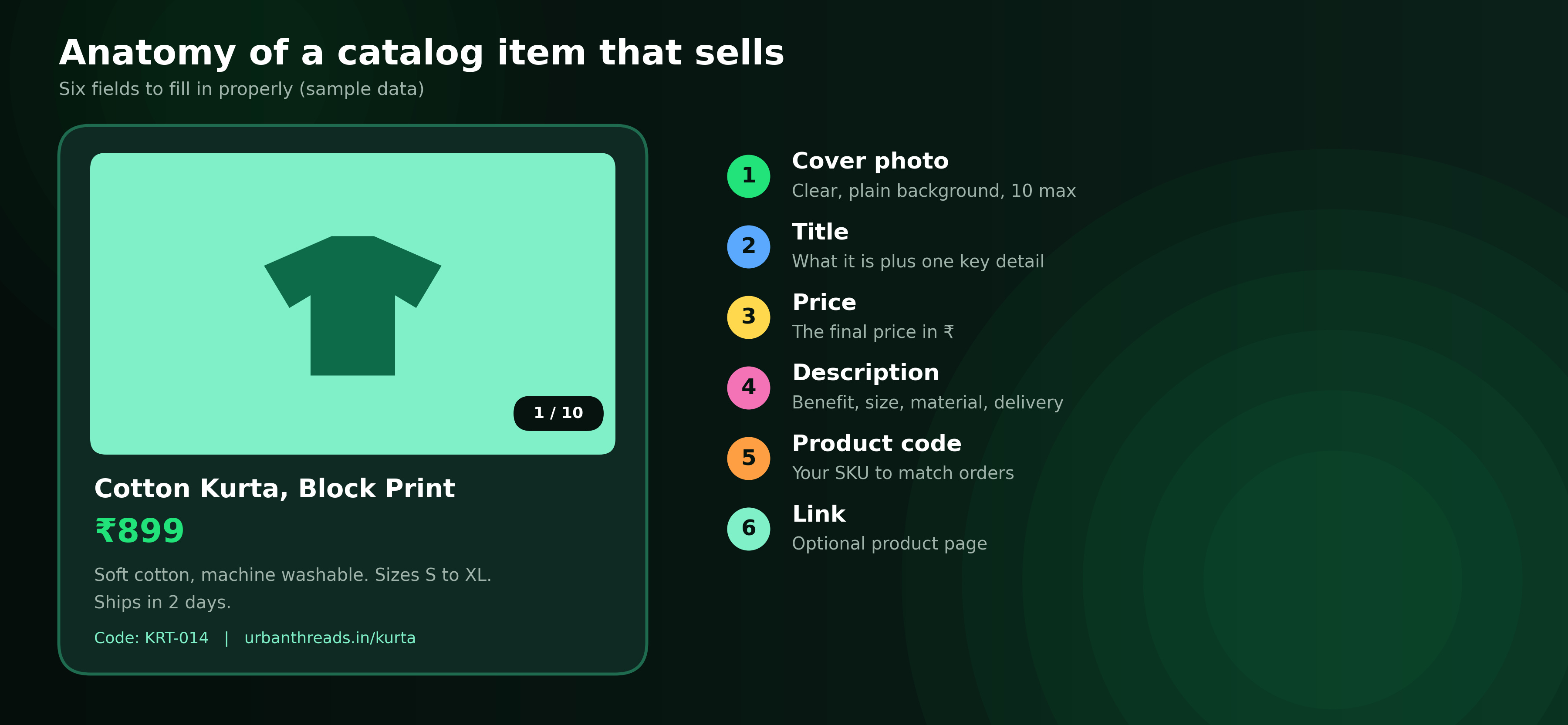
Figure 4: Six fields to fill in for every catalog item (sample data)
- Cover photo: clear, bright, with a plain background.
- Title: the product type plus one key detail.
- Price: the final price in ₹, with no surprises later.
- Description: benefit first, then size, material and delivery time.
- Product code: use your own SKU so orders match your stock sheet.
How do you share your WhatsApp catalog link?
Every catalog and every item has its own WhatsApp catalog link. Tap the link icon inside the catalog to copy or send it.
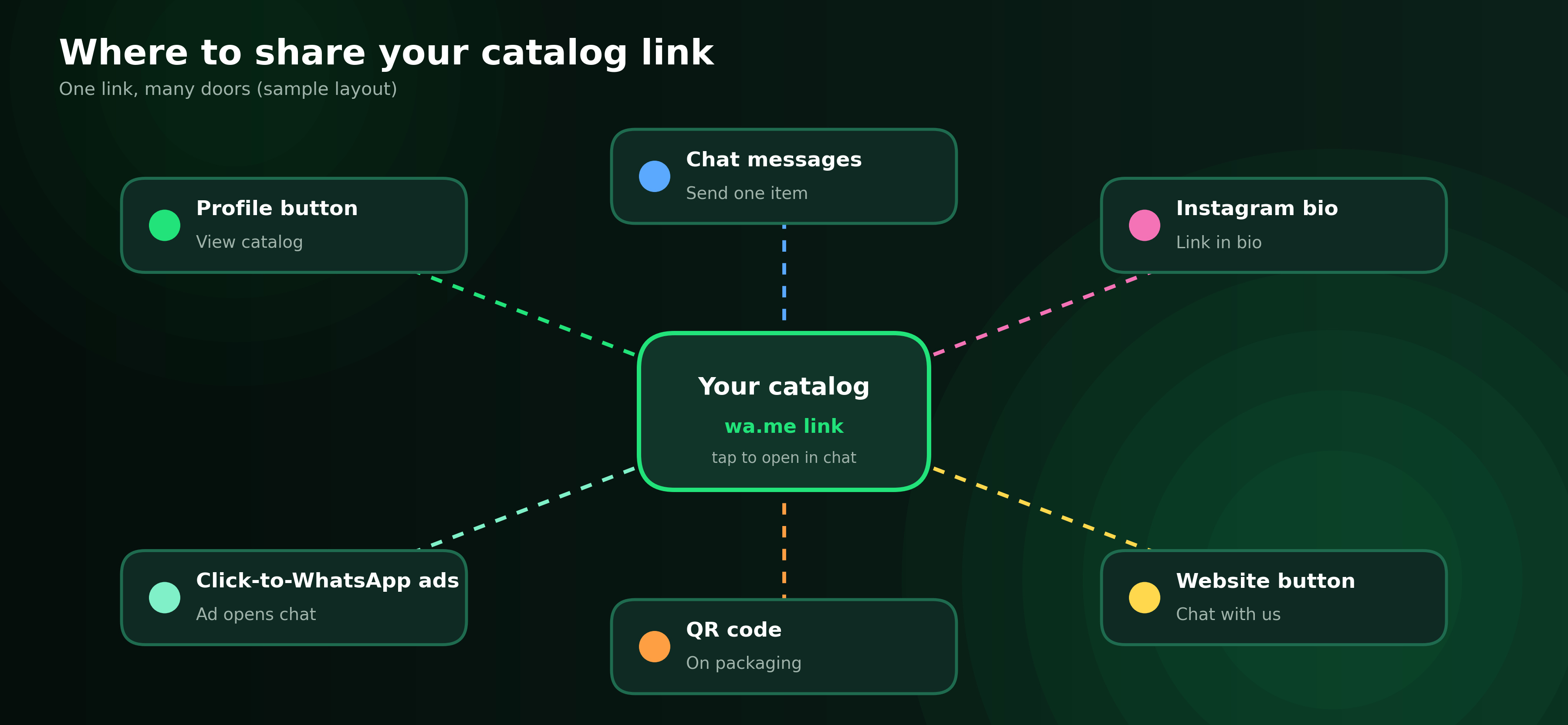
Figure 5: One catalog link can sit in many places (sample layout)
- In chat: attach the catalog or a single item to any message.
- Online: add the link to your Instagram bio, website and Google Business Profile.
- Offline: print a QR code on packaging, counters and visiting cards.
- Ads: use Click-to-WhatsApp ads so one tap opens a chat.
How do you sell from your WhatsApp catalog?
The catalog brings people to the chat, and the sale closes in the conversation. Repeat the same four steps for every order: confirm stock, confirm the address, share payment, then send tracking.
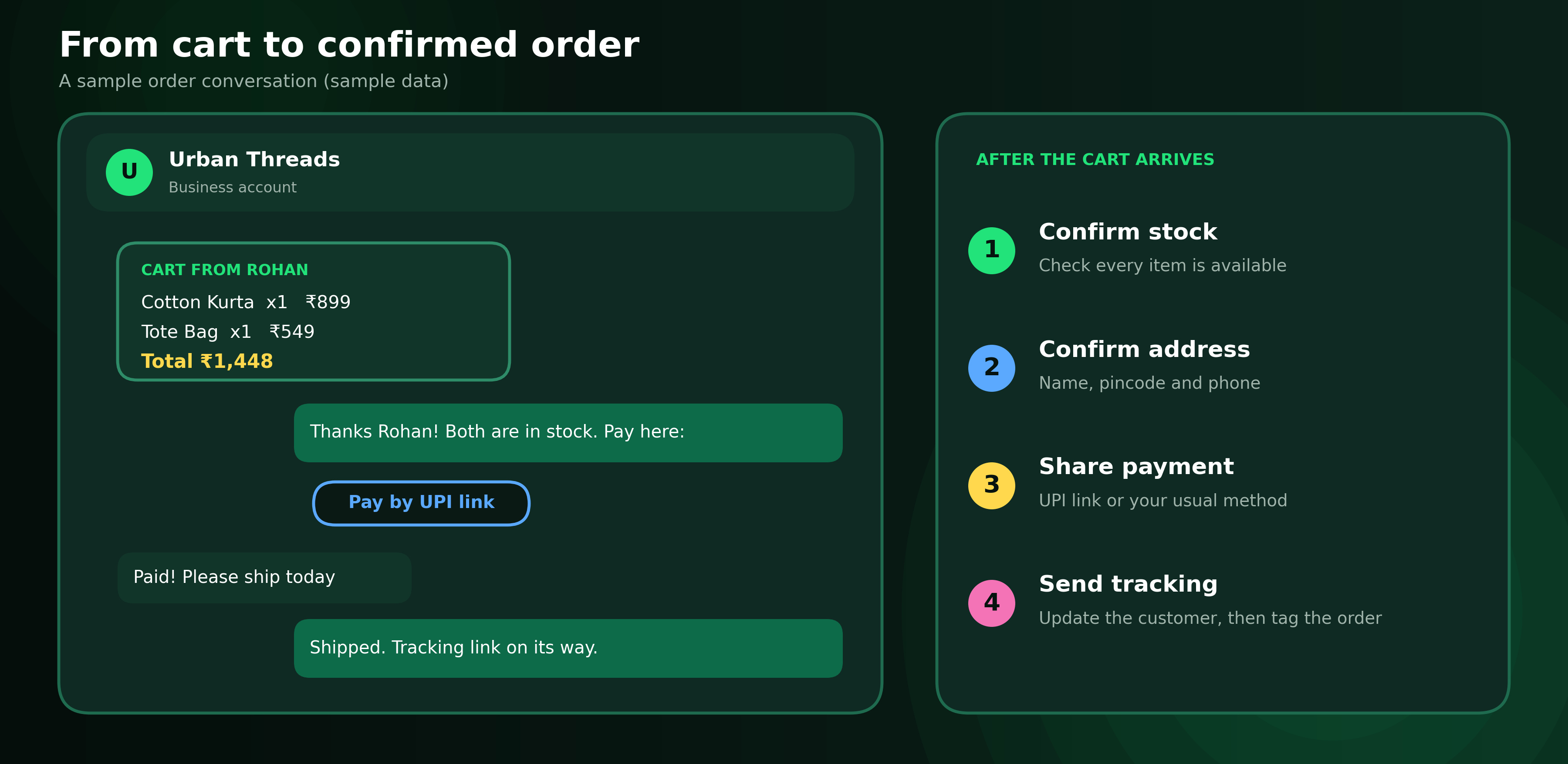
Figure 6: A sample order from cart to tracking (sample data)
Payment options inside WhatsApp vary by country. Where in-chat checkout is not available, share a UPI or payment link in the chat. Reply quickly, because customers compare options fast.
Business app or Business Platform: which catalog setup?
| Feature | WhatsApp Business app | WhatsApp Business Platform (API) |
|---|---|---|
| Setup | Business tools > Catalog | Create a catalog in Meta Commerce Manager and connect it to your WhatsApp Business account |
| Updates | Edit items by hand | Manage items in Commerce Manager, with sync from some stores |
| Messages | Share the catalog or one item manually | Send catalog, single-product and multi-product messages through your platform |
| Automation | None | Chatbot flows can send products |
| Best for | One person, up to a few hundred items | Teams, repeat promotions, higher volumes |
Start with the app. Move to the Platform when several people answer chats or you want automation. Meta explains the WhatsApp catalog API options in its catalogs overview.
What rules apply to catalog items?
- Items are reviewed. Meta checks products against its commerce policies and can flag or remove items that break them.
- Keep it accurate. List only what you can deliver, at the price shown.
- Get opt-in before you message people first with promotions.
What mistakes should you avoid?
- Listing everything: the limit is 500 items, so start with your 20 best sellers.
- Stale prices: sold-out items frustrate buyers.
- Poor photos: dark or cluttered images get skipped.
- Slow replies: a cart waiting for an answer is a lost sale.
How do you measure whether your catalog works?
Track what you can see: enquiries per product, carts received, orders closed, reply time and repeat buyers. Note the product code of every order in a sheet or CRM, keep best sellers at the top and retire items nobody asks about.
When does ChatDesq make sense?
If several people answer product enquiries, or orders get lost between chats, you need more than a catalog. ChatDesq combines an official WhatsApp Business API connection, a shared inbox, no-code automation and customer profiles in one workspace, so every enquiry has an owner. Explore the full platform.
Frequently Asked Questions
How many products can I add to a WhatsApp catalog?
Up to 500 items, with up to 10 images for each.
Is the WhatsApp catalog free?
Yes, in the WhatsApp Business app. Messages sent through the Business Platform are billed by Meta.
Can I have more than one catalog?
No. One catalog is linked to each WhatsApp Business account. Use collections to organise items.
Can customers pay inside WhatsApp?
It depends on your country. Otherwise, share a payment link in the chat.
How long does catalog review take?
Usually minutes to a day. If an item is flagged, fix it and resubmit.
Can I list services or digital products?
Yes, you can list services, and many sellers list digital products. Follow Meta's commerce policies.
Bottom line: start with your best 20 items, keep photos and prices accurate, and reply fast. See how ChatDesq can help.
Written by
Social media Marketer, Chatdesq
She writes practical guides on WhatsApp lead follow-up, WhatsApp marketing, templates and automation for Indian businesses.