WhatsApp for Sales, Offers, Order Updates and Customer Support
See how businesses use WhatsApp to capture leads, send opt-in offers, share order updates and handle support, with clear steps and rules.
Contents▾
- The WhatsApp customer journey at a glance
- How do businesses use WhatsApp to generate and convert sales leads?
- How do you send relevant WhatsApp offers and promotional messages?
- How do businesses send order confirmations and delivery updates on WhatsApp?
- What do WhatsApp messages cost?
- How do businesses manage customer support on WhatsApp?
- Where does automation fit across the customer journey?
- What should you measure on WhatsApp?
- How ChatDesq fits
- Conclusion: build a more connected WhatsApp customer journey
- Frequently asked questions
- How do businesses use WhatsApp for sales and support?
- Can WhatsApp automate order updates?
- Do businesses need permission to send WhatsApp marketing messages?
- What is a WhatsApp message template?
- How can several staff manage one WhatsApp number?
- Sources
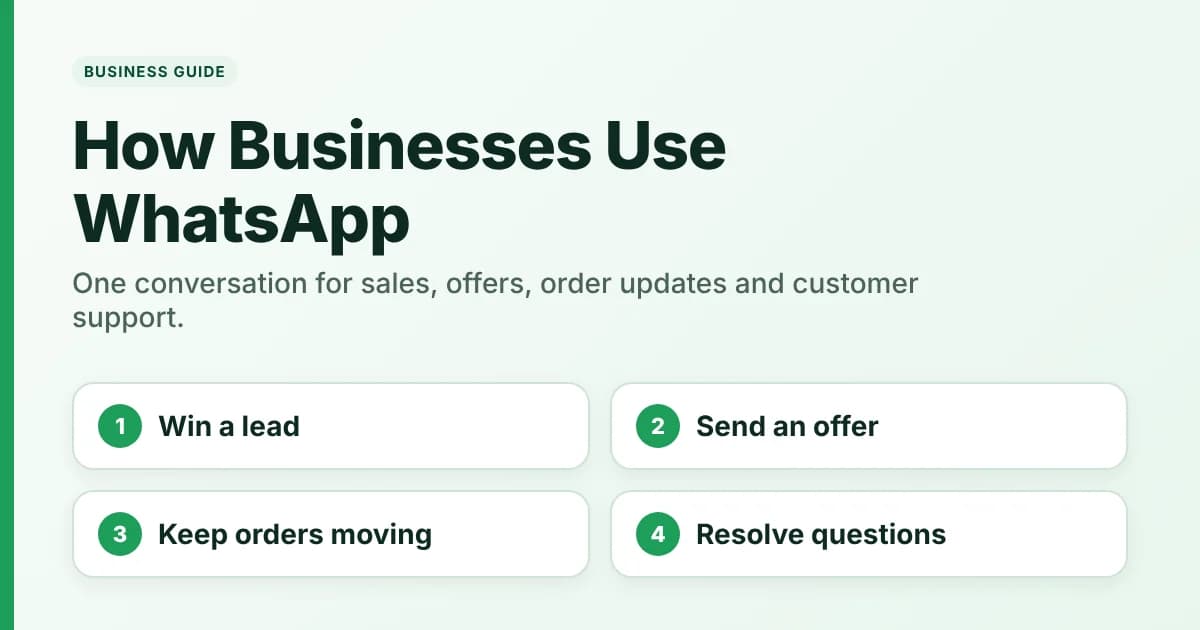
Quick answer: Businesses use WhatsApp to capture and qualify leads, send permission-based offers, share order updates and handle customer support in one conversation. They connect four jobs: win the lead, send a relevant offer, keep the order moving and resolve the question that follows. Automation handles the predictable steps, and people handle the rest.
That connection fixes familiar problems: missed enquiries, follow-ups scattered across personal phones, repeated "where is my order?" questions and conversations split between staff. This guide covers each job, the workflow behind it and the rules to respect.
See how the ChatDesq shared inbox works →
Key takeaways - Connect lead capture to follow-up. Every enquiry needs an owner and a quick reply, not just a phone number in a sheet. - Segment before you send offers. Opt-in, relevance and one clear action beat volume. - Automate useful order notifications. Confirmation and dispatch messages answer questions before customers ask. - Route complex queries to people. Automation handles the routine. Staff handle judgement calls. - Measure business outcomes. Track qualified leads, conversions, response times and opt-outs.
The WhatsApp customer journey at a glance
One customer can move from discovery to repeat purchase without leaving the conversation. The table compares what each job needs.
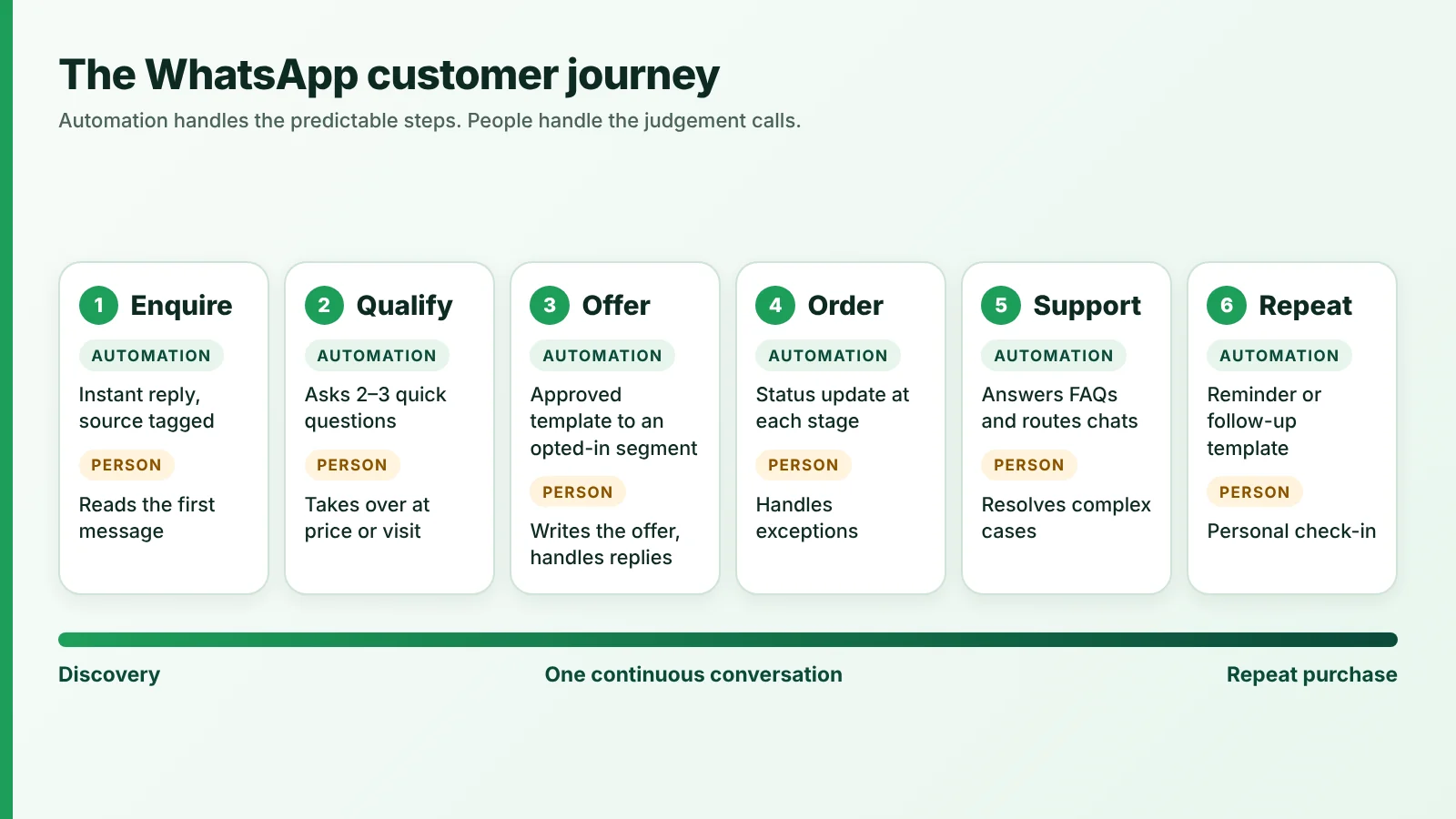
From discovery to repeat purchase, one conversation carries every stage.
| Use case | Goal | Typical trigger | Automation and human roles | Success metric |
|---|---|---|---|---|
| Sales | Turn enquiries into customers | Customer starts a chat from an ad, QR code or button | Automation acknowledges and qualifies. A salesperson follows up and closes | Qualified leads, lead-to-sale conversion |
| Offers | Prompt a relevant purchase | An opted-in customer in a matching segment | Automation sends the approved message. A person writes the offer and handles replies | Reply rate, click-through, repeat purchase, opt-outs |
| Order updates | Keep customers informed | Order placed, paid, dispatched or delivered | Automation sends status messages. Staff handle exceptions and questions | Fewer order enquiries, replies resolved |
| Support | Resolve questions quickly | Customer sends a message | Automation answers common questions and routes. A person resolves complex cases | First-response time, resolution time |
How do businesses use WhatsApp to generate and convert sales leads?
Businesses use WhatsApp for lead generation by making it easy for prospects to start a chat, then qualifying each enquiry and assigning it to a person who replies quickly. The entry point matters less than what happens in the first few minutes after the message arrives.
Common entry points include:
- Click-to-WhatsApp ads. Meta's click-to-WhatsApp ads send people who tap an ad on Facebook or Instagram straight into a WhatsApp conversation with your business.
- QR codes and short links. QR codes and short links let customers start a chat without typing a phone number. They suit shop counters, packaging and printed material.
- Website buttons and social profiles. A chat button or profile link lets a visitor message you instead of filling in a form.
Track the source from day one. Meta does not provide analytics for QR codes and short links, but each can carry a pre-filled message of up to 140 characters. Use a separate code and message for each placement, and read the first message to see where the lead came from.
Once a chat starts, the workflow has four steps:
- Enquiry. The customer sends the first message, often pre-filled.
- Qualification. Two or three quick questions (what, when, where) separate serious enquiries from casual ones.
- Assignment. The chat goes to the right owner by product line, city or language.
- Follow-up. The owner replies with details, a quote or a visit slot while the conversation is warm.
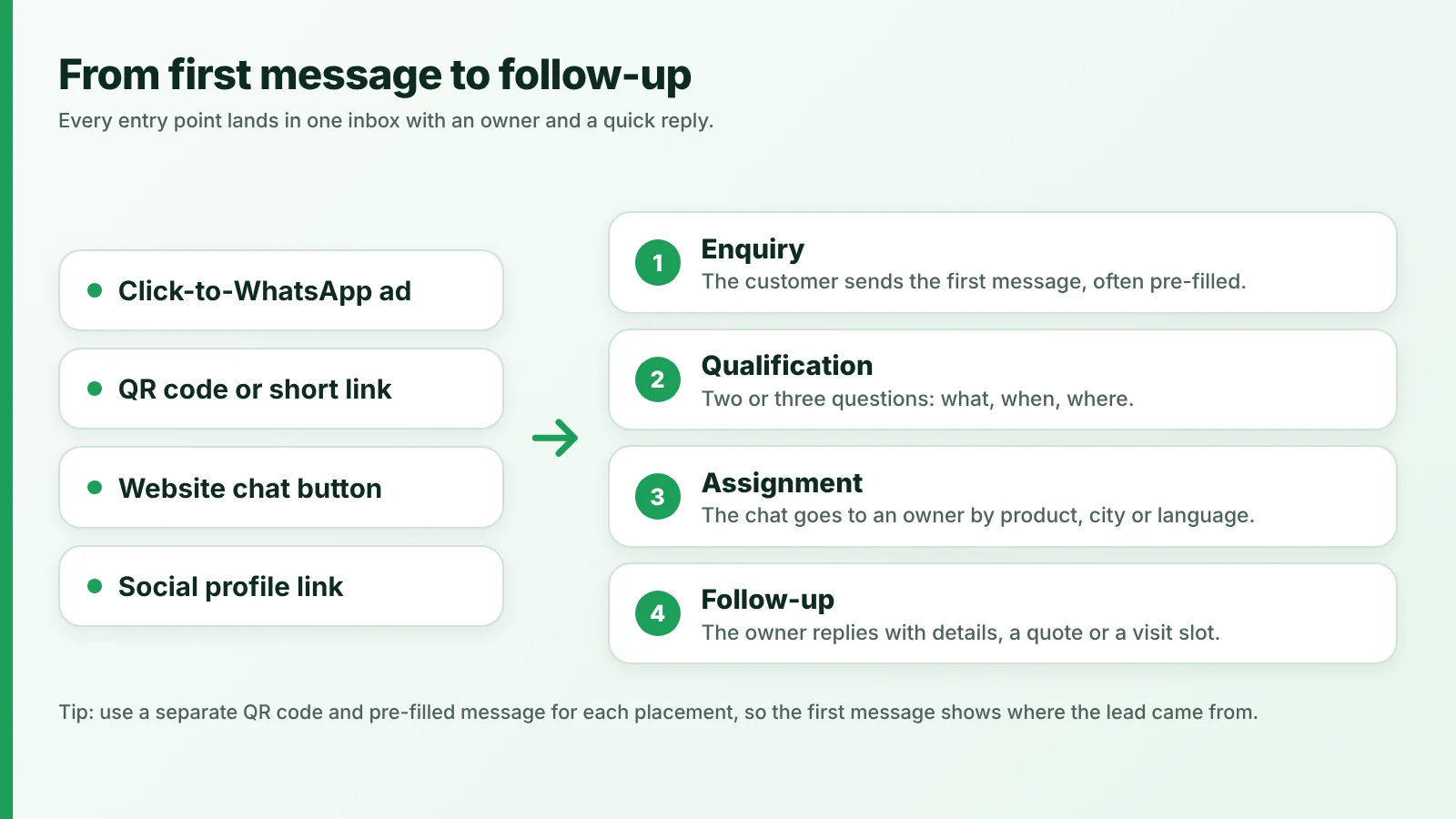
Ads, buttons and QR codes all lead into one inbox, where an enquiry is qualified, assigned and followed up.
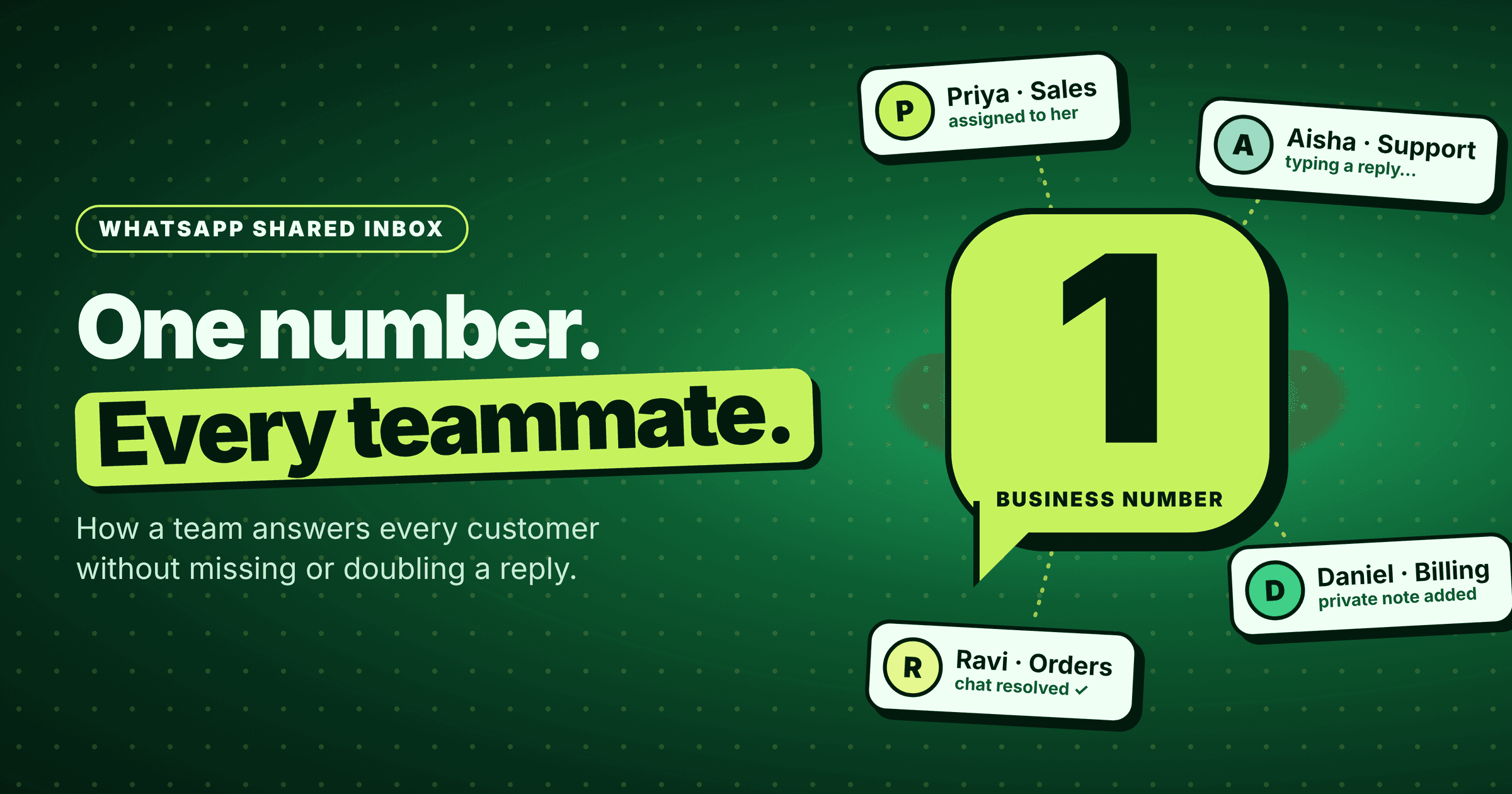
A shared team inbox keeps those steps from depending on one person's phone. It is one WhatsApp number that several colleagues can see and answer, with conversation history and ownership visible. ChatDesq's shared team inbox is built around that idea, and ChatDesq for sales shows how teams set it up for leads.
Here is an illustrative scenario, not a customer case study. A home-interiors showroom prints a QR code at its entrance. A visitor scans it and asks about modular kitchens. An automatic reply asks about room size and timeline, the chat goes to a design consultant, and the consultant offers a visit slot. Used this way, WhatsApp lead generation is about starting qualified conversations, not collecting phone numbers.
How do you send relevant WhatsApp offers and promotional messages?
Send WhatsApp offers only to people who have opted in, group them by interest or past behaviour, and keep each message to one clear offer and one action. Relevant, expected messages are less likely to be blocked or reported, which protects your sending quality.
Get permission first. Meta requires businesses to obtain opt-in before messaging people on WhatsApp. The opt-in must clearly state that the person agrees to receive messages and must name your business. It can be collected outside WhatsApp, for example on a website, by SMS, by phone or in person. Meta also suggests asking by message category, such as order updates versus offers. Honour opt-outs promptly.
Segment before you send. A broadcast is one approved message sent to many opted-in contacts at once. Send it to a segment, such as past buyers of a product category or contacts in one city, not your whole list.
Use approved templates. Template messages are the only type of message you can send outside a customer service window. That window is the 24 hours after a customer last messaged you. Promotional content belongs in the marketing template category. Meta also limits how many marketing templates a given user can receive from any business, so frequency discipline protects both your reputation and your reach.
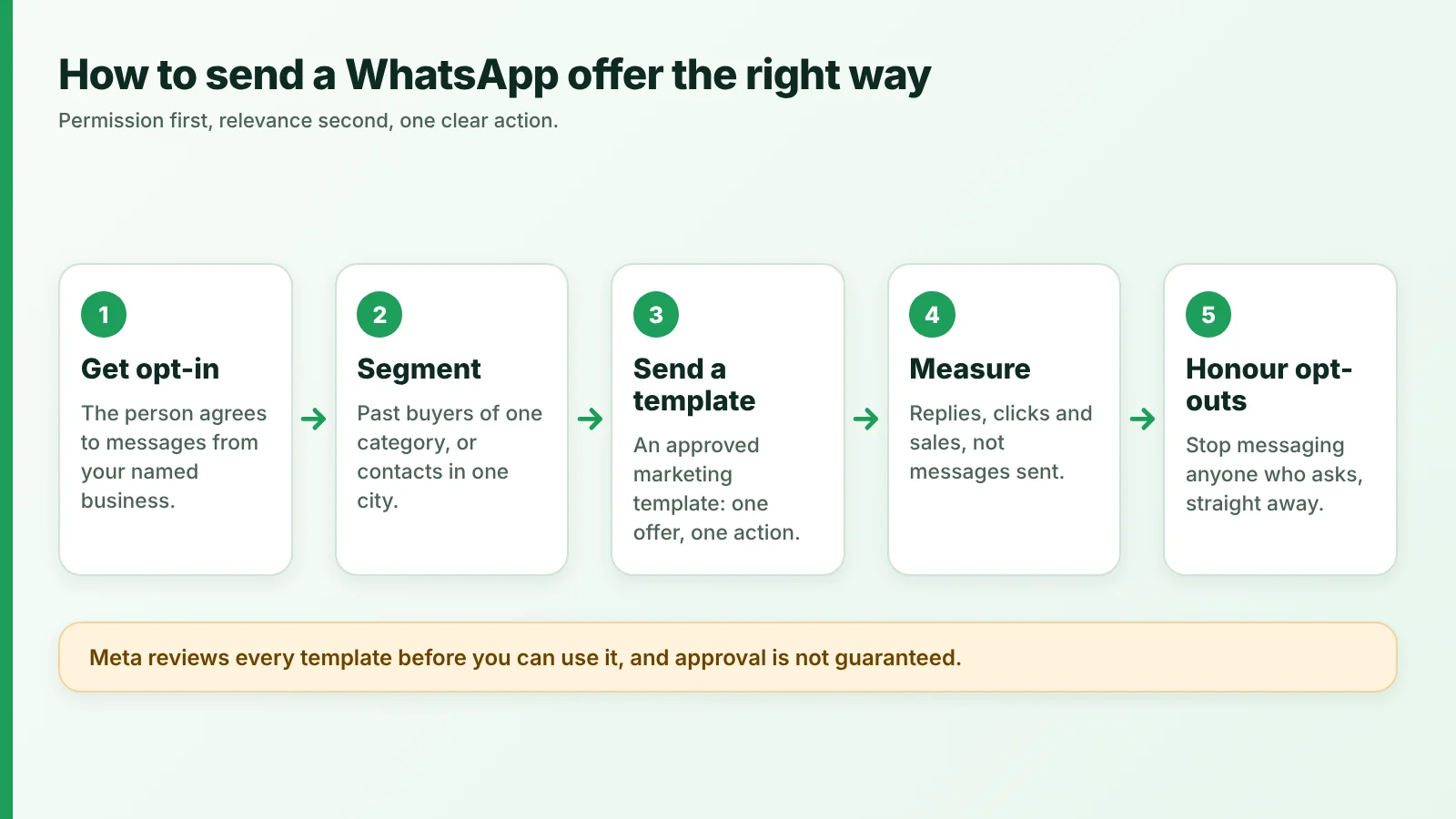
Permission first, relevance second, one clear action.
A WhatsApp marketing message template works best when it follows a simple structure. This example is an illustration only. Meta reviews every template, and approval is not guaranteed:
Hi {{first_name}}, thank you for shopping with {{business_name}}. Our {{product_category}} sale starts on {{date}}, with {{offer}} on selected items. Reply YES and we'll share the options. To stop offers, reply STOP.A broadcast tool is where a team sends this kind of message and reviews how it performed. ChatDesq's WhatsApp broadcast tool does that, and ChatDesq for marketing covers campaign set-up. Judge every send by replies, clicks and sales, not by how many messages went out.
How do businesses send order confirmations and delivery updates on WhatsApp?
Order messages work best as short, factual updates at each stage, sent in the same thread where the customer can reply. Because they follow a purchase, Meta treats them as utility messages, and order-management messages should not promote, recommend or upsell. A template that mixes an update with a promotion is treated as marketing, so keep any cross-sell separate.
A typical order flow looks like this:
- Confirmation. Acknowledge the order and say what happens next.
- Payment status. Confirm payment received, or flag one that is pending or failed.
- Dispatch. Tell the customer the order is on its way, with details your system holds.
- Delivery. Confirm delivery and invite a reply if something is wrong.
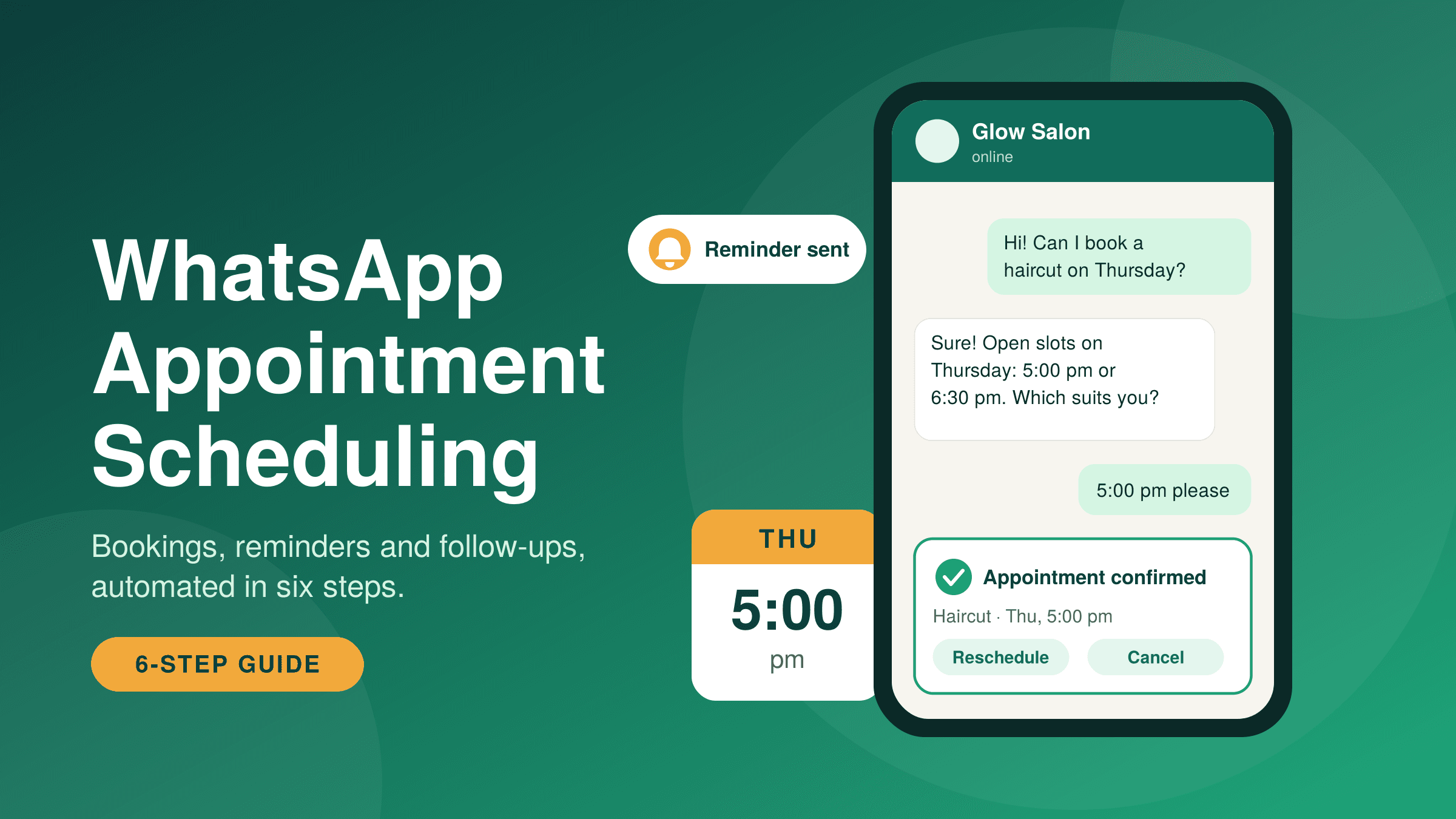
The thread also works both ways. When a customer replies, a 24-hour customer service window opens, and your team can answer in ordinary messages instead of templates. A customer who asks "can I change the delivery address?" gets a human reply in the same conversation, with the order history above it.
Be honest about what is automated. Whether these messages fire on their own depends on how your store or order system connects to your messaging tool, so do not promise live carrier tracking or automatic status syncing unless your setup provides it. Updates sent by a team member are a valid starting point. Ecommerce teams can read how WhatsApp works for ecommerce teams in more detail.
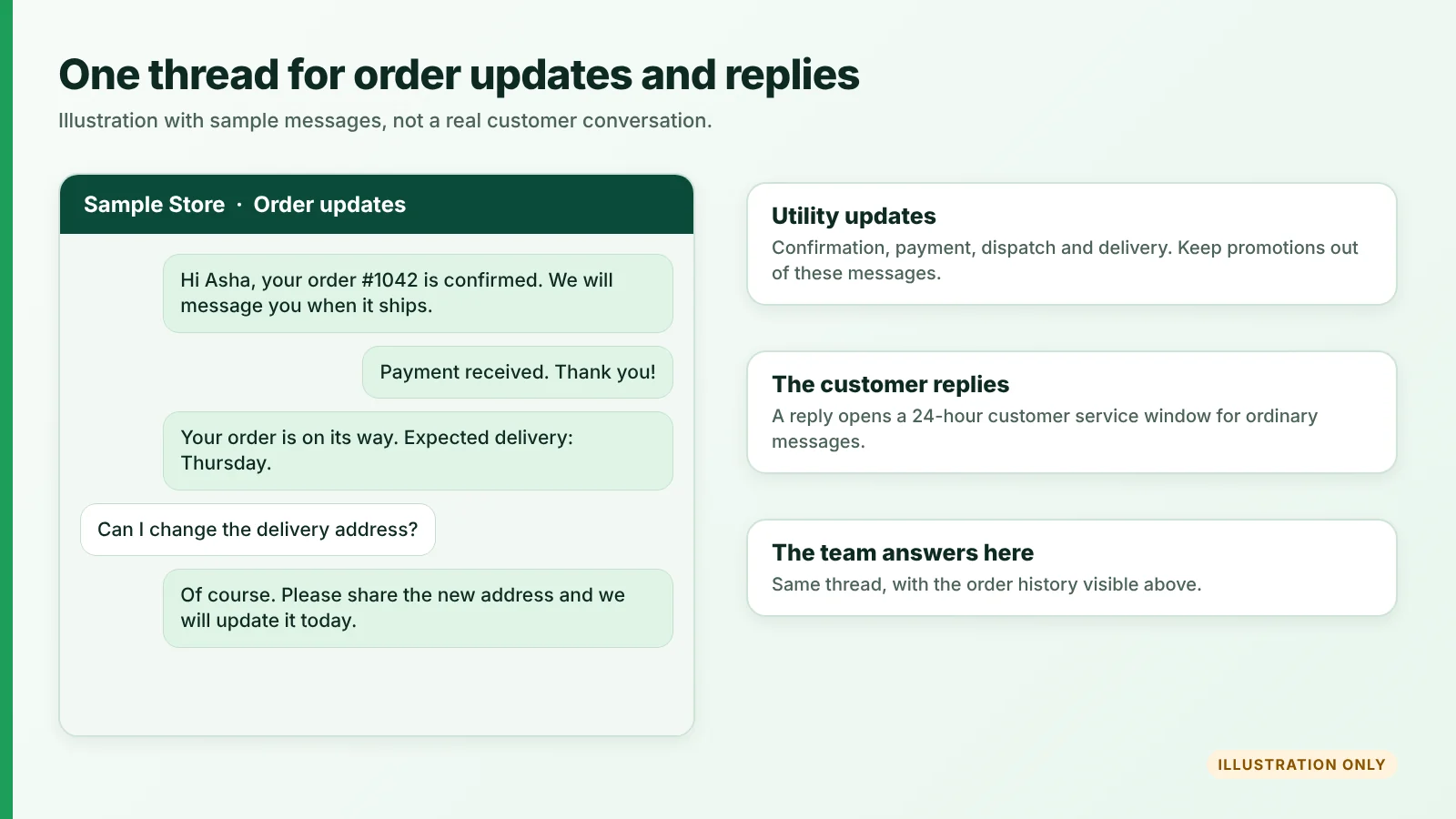
Illustration with sample messages, not a real customer conversation.
What do WhatsApp messages cost?
Meta groups business messages into marketing, utility, authentication and service. With ChatDesq you pay per message from a prepaid wallet, with a ₹0 platform fee. The table shows each type and its ChatDesq price.
| Message type | Used for | Example | ChatDesq price per message (excl. GST) |
|---|---|---|---|
| Marketing | Offers, promotions, product news | "Our sale starts on Friday" | ₹1.036 |
| Utility | Order, payment and delivery updates | "Your order is on its way" | ₹0.138 |
| Authentication | One-time passcodes | "Your login code is 482913" | ₹0.138 |
| Service | Replies inside the 24-hour window after a customer messages you | Answering "Can I change my address?" | First 1,000 per WhatsApp number each month are free (Meta's rule), then ₹0.138 |
₹0 platform fee. Pay only for the messages you send. Work out your own monthly spend with the WhatsApp cost calculator, or see the full ChatDesq pricing.
How do businesses manage customer support on WhatsApp?
Businesses manage support on WhatsApp by letting automation answer common questions and sort the rest, then assigning each open conversation to a person who can see the full history. Automated first replies add speed. People still resolve the cases that need judgement.
A workable support setup has five parts:
- FAQs. Answer repeat questions on opening hours, delivery areas, returns and appointment slots.
- Triage. Ask what the enquiry is about (order, billing, product help) and tag it.
- Assignment. Give every open chat an owner, so nothing sits unclaimed.
- Escalation. Hand over to a person when a customer asks for one or reports a problem.
- History. Keep earlier messages visible, so customers never explain things twice.
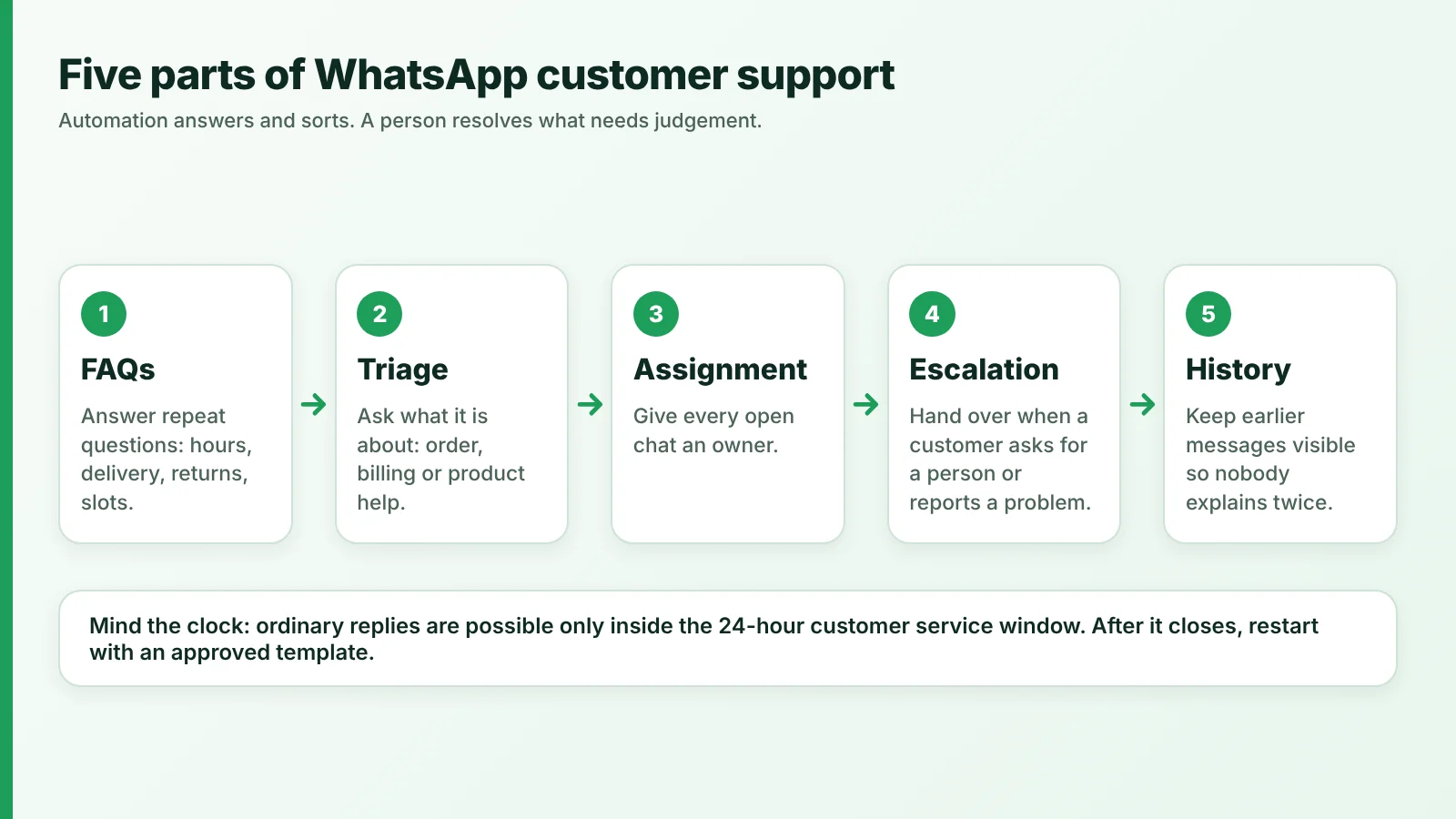
Automation answers and sorts. A person resolves what needs judgement.
Automation is the first responder, not the whole team. A WhatsApp AI agent can answer routine questions and collect details before a person steps in. Our guide on how to build a WhatsApp chatbot walks through the set-up. The shared team inbox then keeps ownership clear when several people handle the same number. See ChatDesq for support for a typical set-up.
Mind the clock. Free-form replies are only possible inside the customer service window, which opens when the customer messages you. Once it closes, you need an approved template to restart the conversation, so aim to resolve questions while it is open.
Where does automation fit across the customer journey?
Automation fits wherever the next step is predictable: acknowledging a new lead, nudging a quiet one or telling a customer an order has moved. It should stop where the customer needs judgement, negotiation or reassurance, and a person should take over.
Automation here means a trigger (such as a new message or a status change) that starts a pre-set action (a reply, reminder or notification). Three examples show the pattern:
- New lead acknowledgement. A first message triggers an instant reply that confirms receipt and asks a qualifying question. A sales owner takes over when the lead asks about price or visits.
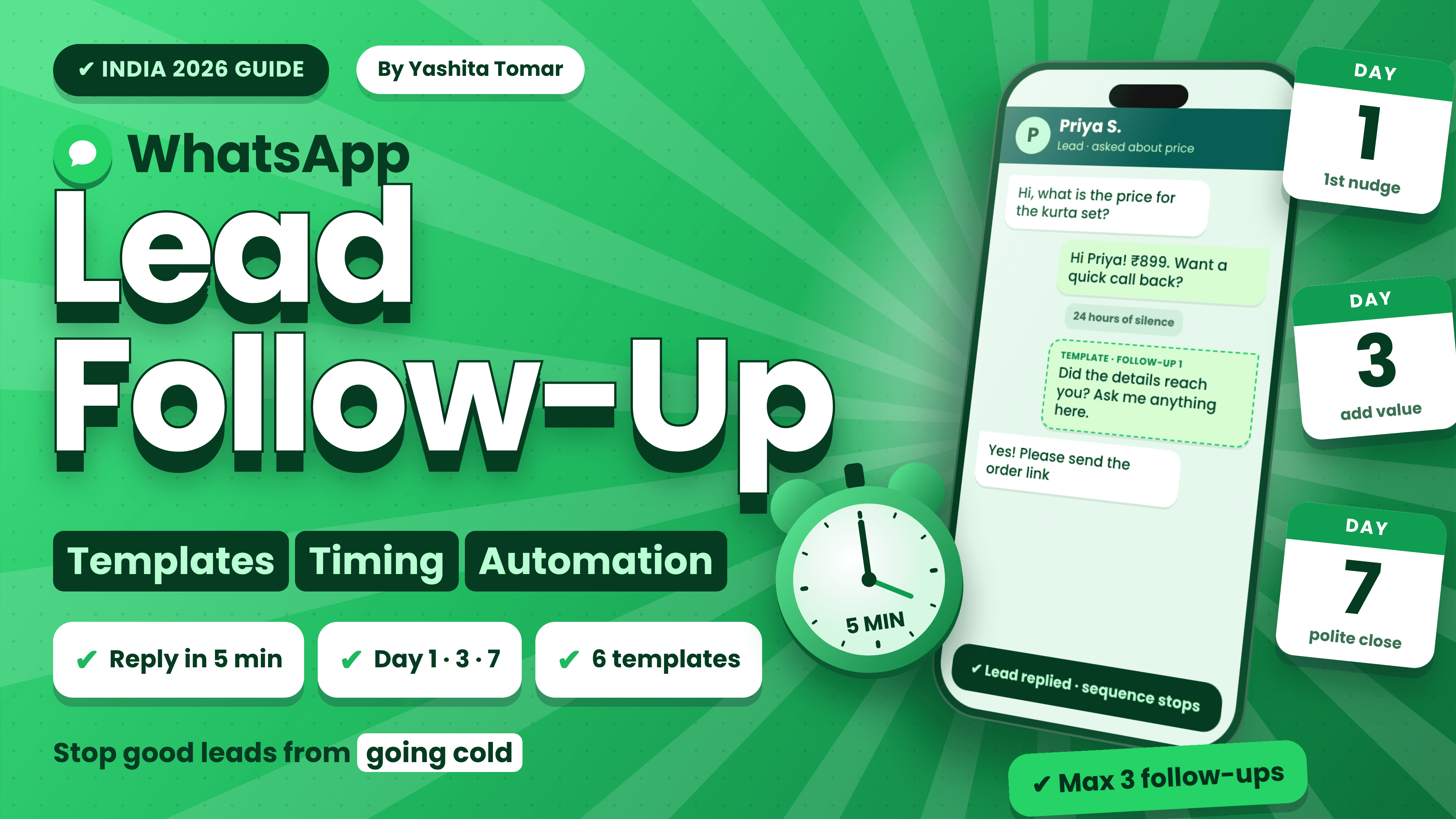
- No-response follow-up. A lead goes quiet, so a reminder goes out after a set time. Once 24 hours have passed since the customer's last message, that reminder must be an approved template sent to a contact who has opted in. A team member steps in as soon as the lead replies.
- Order-status notification. A change in order status triggers a factual update. Support takes over if the customer reports a problem.
A no-code workflow builder lets non-technical staff set these triggers, actions and handoffs without writing software. ChatDesq's WhatsApp automation tool is where a team would build them. Done well, this can reduce repetitive manual work, but the benefit depends on your volumes and setup, so measure it.
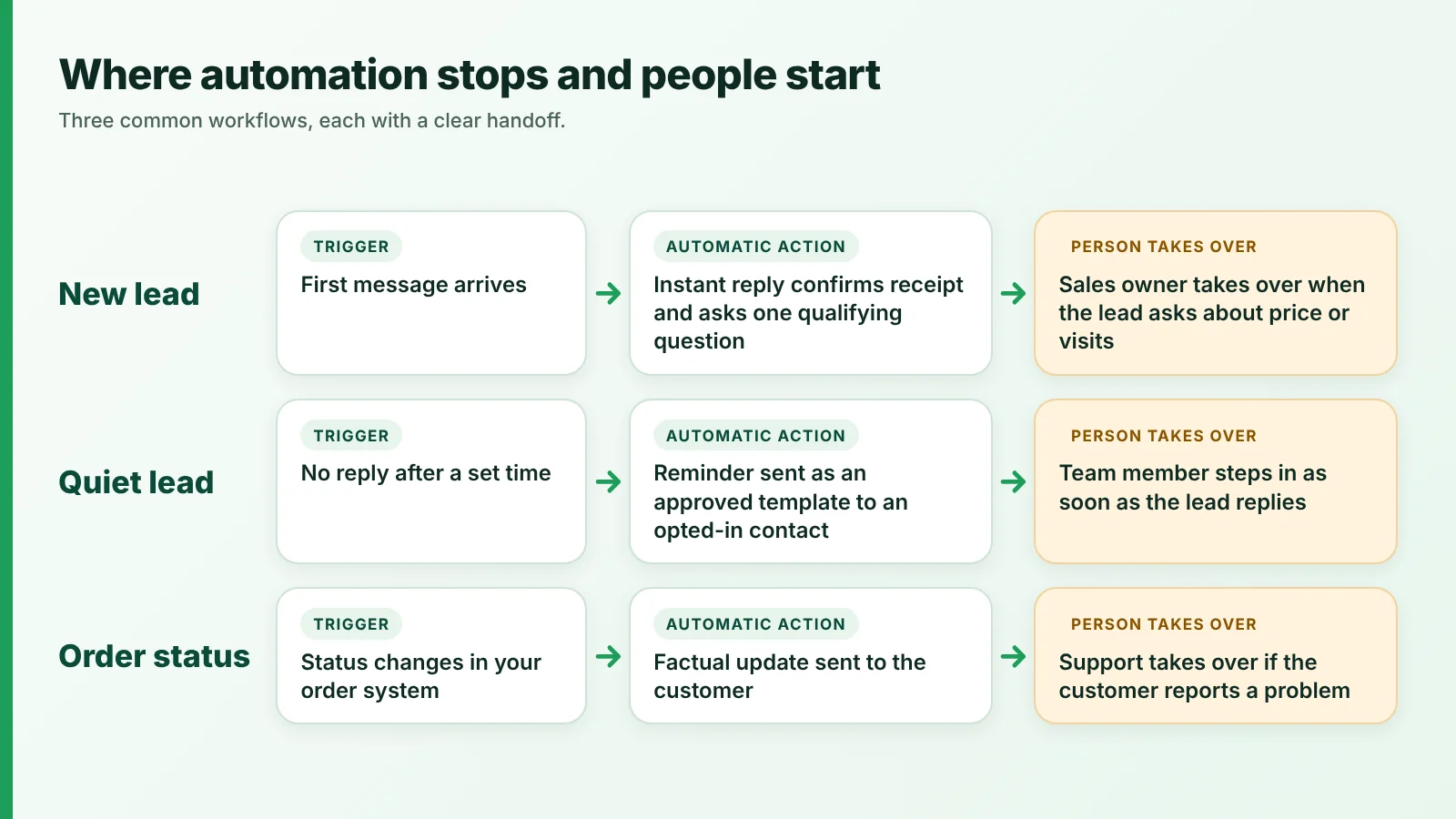
Automation handles the routine steps. A person takes over where judgement is needed.
What should you measure on WhatsApp?
Measure the outcome each job is meant to produce, not how many messages you sent. Qualified leads and conversion suit sales, replies and purchases suit offers, fewer order enquiries suit updates, and response and resolution times suit support.
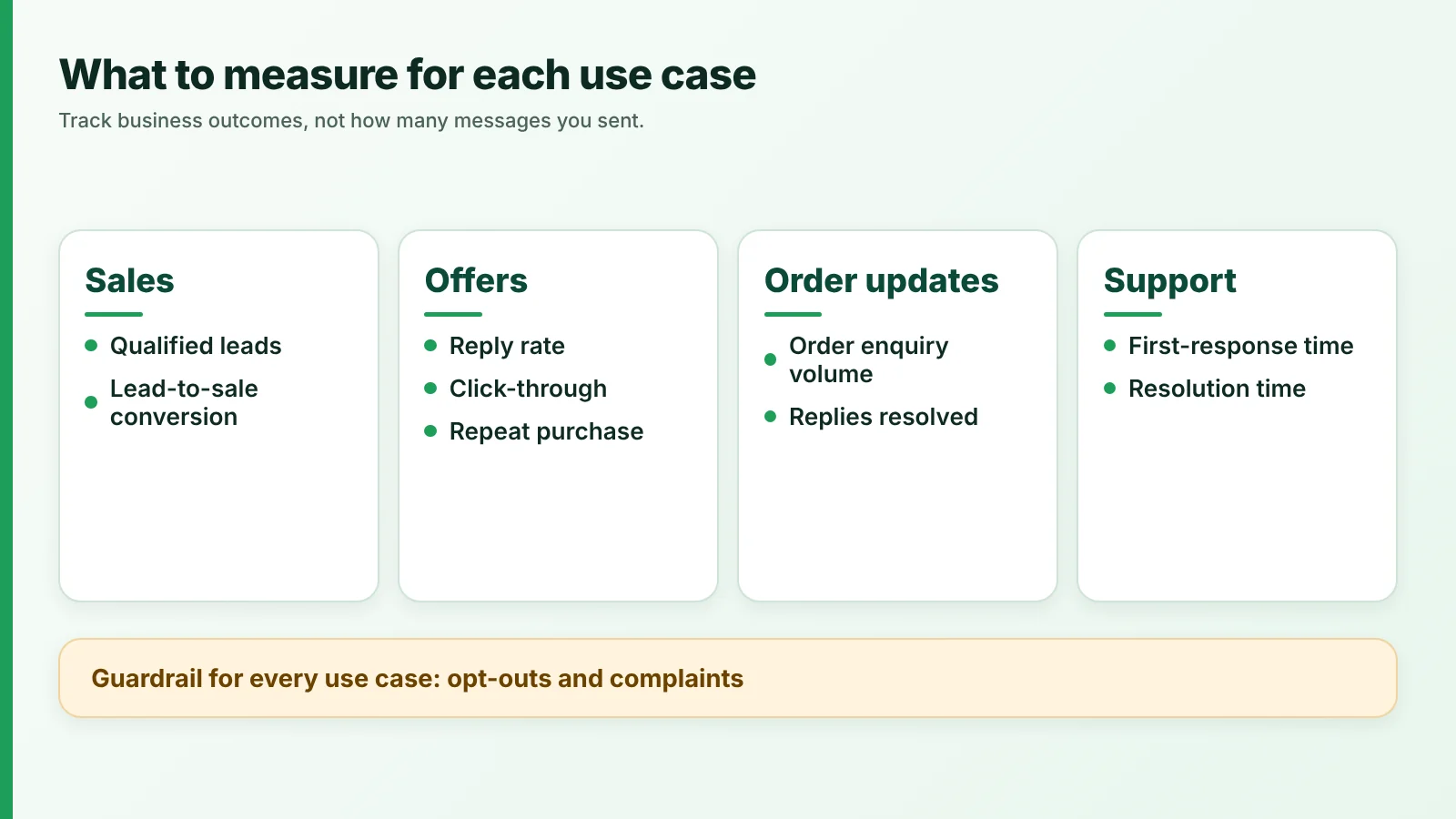
Pick the metric that matches the job, and watch opt-outs for every one.
- Qualified leads: chats that meet your own criteria, such as a clear need and timeline.
- Lead-to-sale conversion: the share of qualified leads who buy within a set period.
- Reply rate: the share of recipients who respond to a message or campaign.
- Click-through: the share who tap a link or button.
- Repeat purchase: customers who buy again within a chosen window.
- Order enquiry volume: how many "where is my order?" chats arrive. A steady fall suggests updates are working.
- First-response time: the time from a customer's first message to the first reply. Track automated and human replies separately.
- Resolution time: the time from first message to a closed issue.
- Opt-outs and complaints: your guardrail. Meta's systems rate-limit businesses whose quality stays low, so rising opt-outs can signal that your frequency or relevance needs work.
Compare results over the same period, and record the lead source, since QR codes and short links give no scan analytics.
How ChatDesq fits
ChatDesq is a WhatsApp marketing and support tool on the official WhatsApp Business API, built by Apporio Infolabs. It includes the shared inbox, broadcasts, automation and an AI agent, with every feature included and unlimited team members.
WhatsApp marketing with no plan, no lock-in, and a person who answers.
- Price: ₹0 platform fee. Pay only for the messages you send.
- No lock-in: No quarterly or yearly plan. Top up from ₹500 and stop whenever you like.
- Support: A real person replies within 2 hours, Mon-Sat, 10:00-19:00 IST.
- Refunds: Leaving? Email hello@chatdesq.com and we initiate the refund of your unused balance within 7 working days.
See ChatDesq pricing → · Book a demo →
Conclusion: build a more connected WhatsApp customer journey
WhatsApp works best when sales, offers, order updates and support share one conversation. Qualify leads quickly, send relevant offers only to people who opted in, keep orders moving with factual updates, resolve questions with automation and people together, and measure what the business gains. The result is one connected journey for selling, informing and supporting customers.
New to the basics? Start with the WhatsApp guide.
Explore the ChatDesq shared inbox →
Related reading:
- What is the WhatsApp Business API?
- WhatsApp marketing for customer retention
- WhatsApp marketing mistakes small businesses should avoid
- How to build a WhatsApp chatbot
Frequently asked questions
How do businesses use WhatsApp for sales and support?
They use it to capture and qualify leads, send opt-in offers, share order updates and answer support questions in one thread. Automation handles predictable steps such as first replies and status updates, and a person takes over when judgement is needed.
Can WhatsApp automate order updates?
Yes, if your store or order system is connected to your messaging tool, so a status change triggers a message. Order updates go out as utility templates to opted-in customers and should not contain promotions.
Do businesses need permission to send WhatsApp marketing messages?
Yes. Meta requires opt-in before you message people. The opt-in must say the person agrees to receive messages and name your business. You can collect it on a website, by SMS, by phone or in person.
What is a WhatsApp message template?
A pre-written message, with placeholders such as the customer's name, that Meta reviews before you can send it. Each template is categorised as marketing, utility or authentication, and promotional offers belong in the marketing category.
How can several staff manage one WhatsApp number?
Use a shared team inbox. Several people can answer one WhatsApp number, each chat has an owner, and the history stays visible. Set rules for who handles which type of enquiry.
Sources
Meta documentation, checked 5 November 2026:
- Get opt-in for WhatsApp
- Message templates overview
- Template categorization
- Pricing and the customer service window
- QR codes and short links
- Click-to-WhatsApp ads
ChatDesq prices are per message, excl. GST. Meta changes its rules often, so check the linked pages before acting.
Written by
Social media Marketer, Chatdesq
Surya Ranjha is a digital marketer and content writer passionate about technology, AI, and the evolving world of digital communication. He specializes in creating insightful, research-driven content on SEO, WhatsApp marketing, SaaS, and emerging digital trends. With a focus on making complex ideas accessible and actionable, he aims to help businesses and readers navigate the digital landscape with clarity and confidence.