WhatsApp API Pricing Models: Per Seat vs Pay Per Message
A guide to WhatsApp API pricing that explains per-seat plans versus pay-per-message billing and shows, in four steps.
Contents▾
- Key facts at a glance
- What does Meta charge for WhatsApp API messages?
- How does per-seat or plan pricing work?
- How does pay-per-message pricing work?
- How do you compare the two? (4 steps)
- Which pricing model fits your business?
- How does ChatDesq price the WhatsApp API?
- Frequently Asked Questions
- What is the cheapest WhatsApp API pricing model?
- Does Meta charge per conversation or per message?
- Are replies to customers free?
- Do more agents mean a higher bill?
- Are GST and message charges separate?
- Want to see your own monthly bill?
Two providers can quote very different prices for the same WhatsApp API, and the quotes are hard to compare. The reason is simple: they charge in different units. This guide explains both pricing models and shows how to compare them in four steps, using your own numbers.
In this guide: what Meta charges · per-seat pricing · pay per message · how to compare · which fits you.
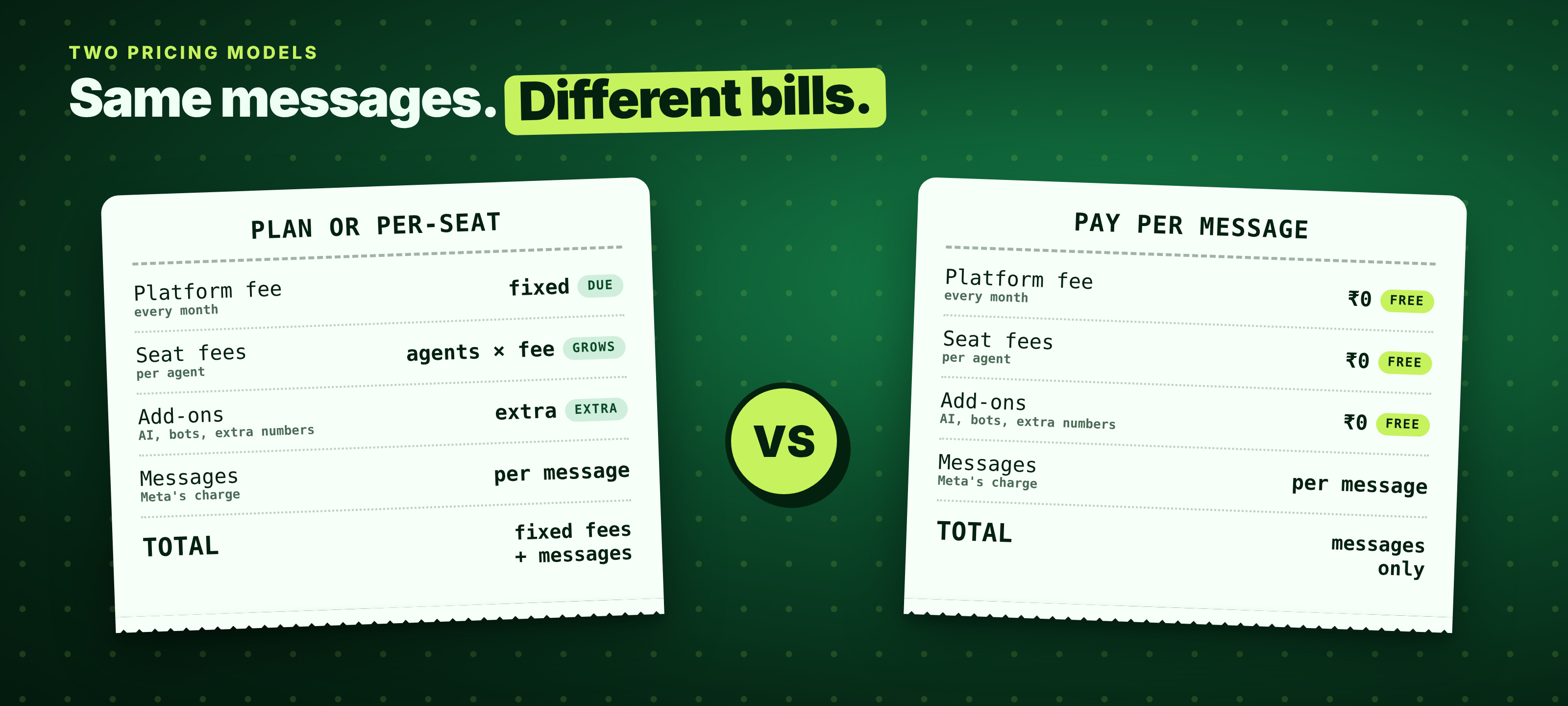
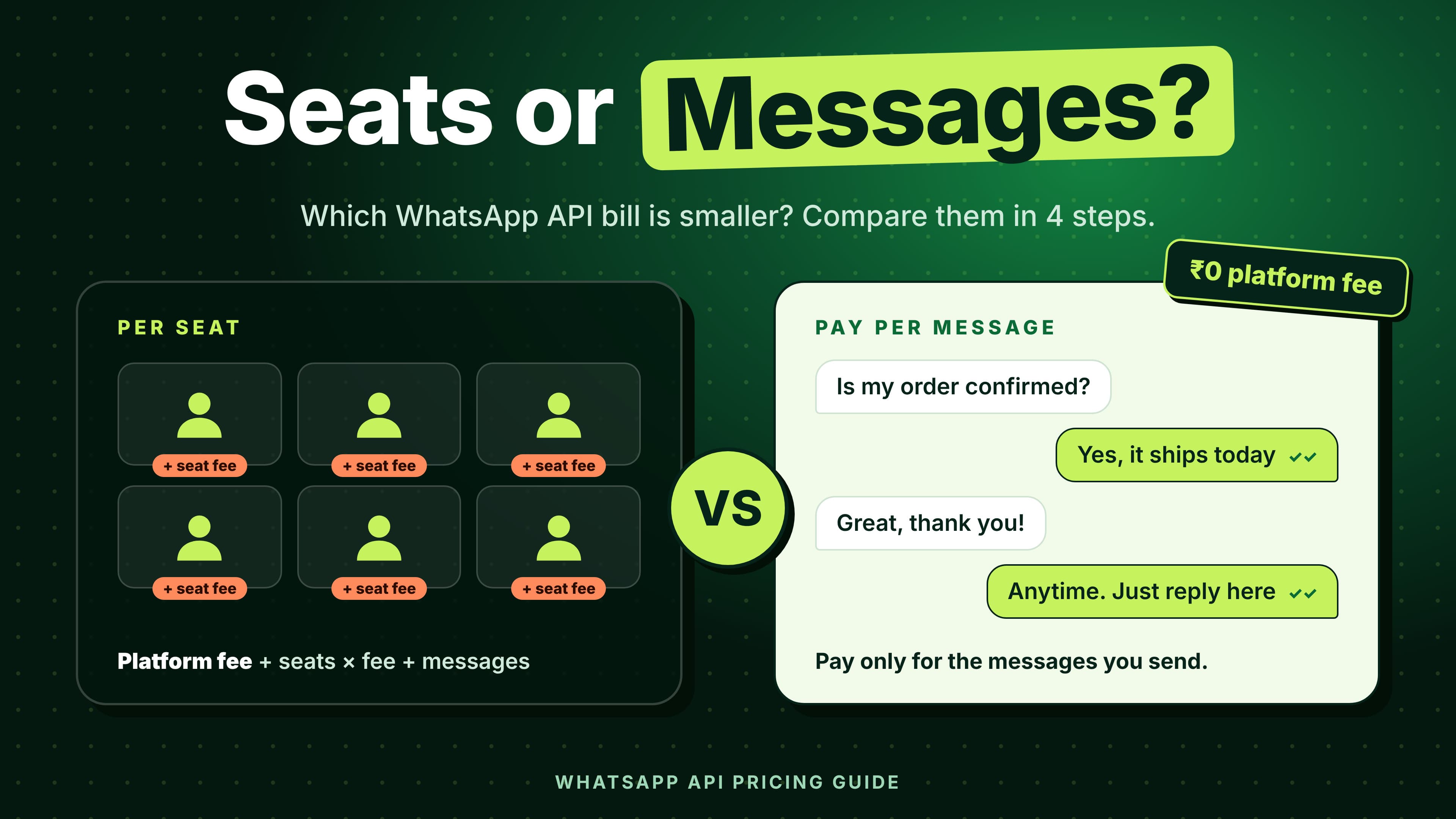
Figure 1: The same messages, two different bills
Quick answer: Meta charges per delivered message, and every provider passes that on. On top of it, some providers add a monthly platform fee, a fee per seat or both, while others bill only for messages. Compare the total bill, not the headline price.
Key facts at a glance
- Per-seat or plan model: a monthly or yearly fee for the platform and each agent, with message charges on top.
- Pay-per-message model: no platform or seat fee, so you pay only for the messages you send.
- What does not change: Meta's charge for each message depends on the message type and the customer's country.
- What does change: everything you pay on top of Meta's charge.
What does Meta charge for WhatsApp API messages?
Meta charges per delivered message, not per conversation. Only messages from your business are charged; messages from customers to you are free. Each message has one category, and the rate depends on the category and the customer's country.
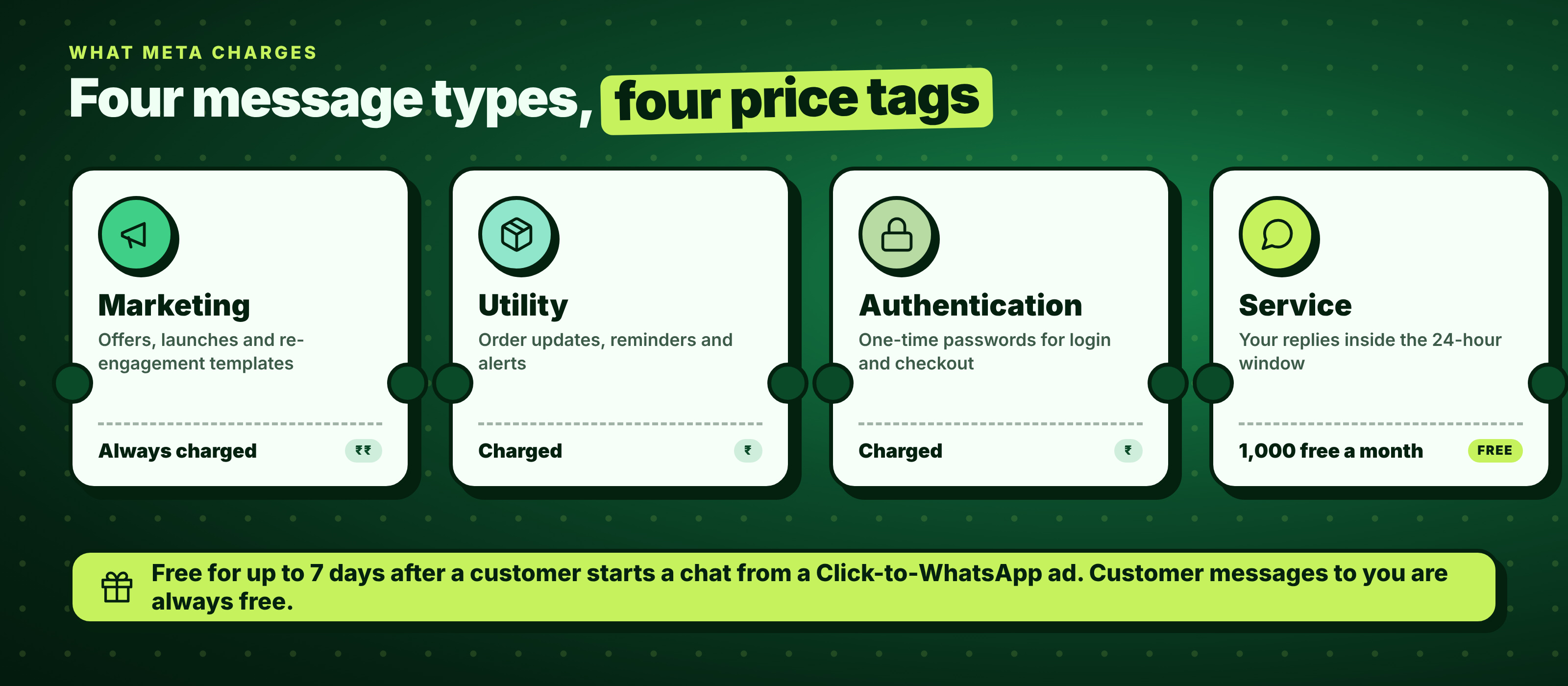
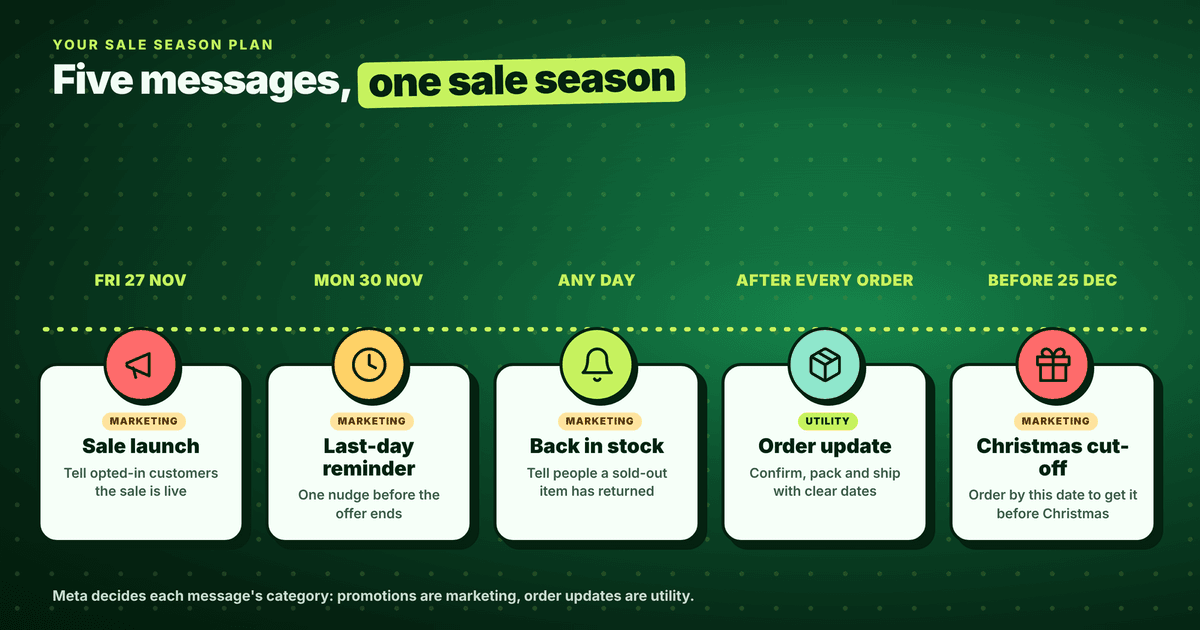
Figure 2: The four message types you pay for
- Marketing: offers, launches and re-engagement templates. Always charged.
- Utility: order updates, reminders and alerts. Charged.
- Authentication: one-time passwords. Charged.
- Service: your replies inside the 24-hour window (the 24 hours after a customer last messages you). The first 1,000 per number each month are free.
Messages sent within 7 days of a customer starting a chat from a Click-to-WhatsApp ad (an ad that opens a WhatsApp chat) are free. Meta changes its rates only at the start of a quarter.
How does per-seat or plan pricing work?
With this model you pay the provider a fixed fee whether you send one message or ten thousand. The fee is usually monthly or yearly and often grows with the number of agents, extra numbers or add-ons such as chatbots and AI replies. Meta's message charges are billed separately.
- Where it helps: you get a predictable invoice and a bundle of features.
- Where it hurts: the fee is due even in a slow month, and every new agent can raise it.
How does pay-per-message pricing work?
Here the provider charges no platform fee, no seat fee and no add-on fees. You top up a prepaid wallet, and each delivered message is deducted at a listed rate. A month with fewer messages is a cheaper month.
- Where it helps: low-volume starts, seasonal businesses and big teams, because adding agents costs nothing.
- Where it hurts: the bill moves with your volume, so you need to watch your wallet.
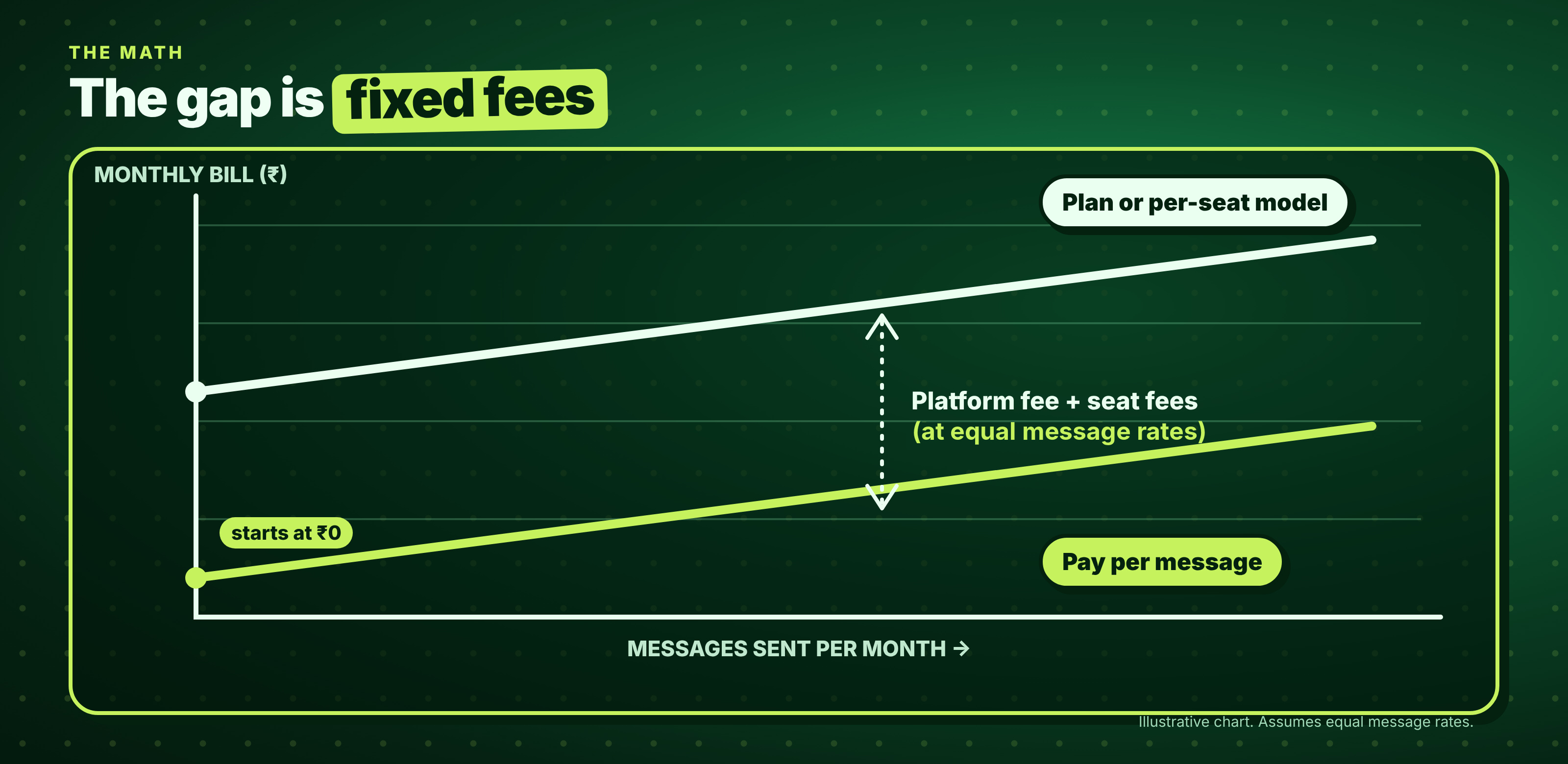
Figure 3: With equal message rates, the gap between the two models is the fixed fees
How do you compare the two? (4 steps)
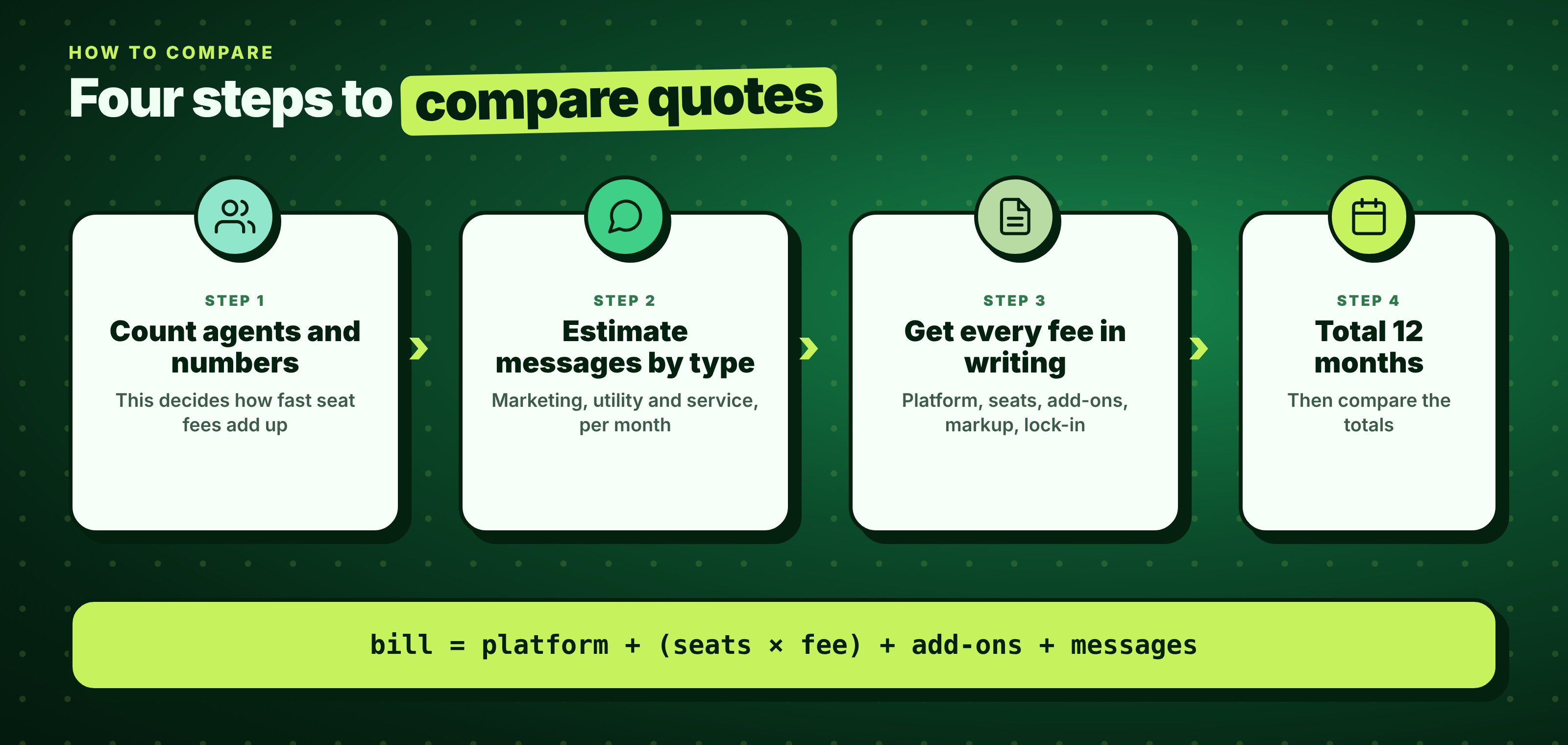
Figure 4: Four steps to compare quotes
- Count your agents and numbers. This decides how much seat fees can add up.
- Estimate monthly messages by type: marketing, utility and service. Use last month's volume if you have it.
- Ask every provider for all fees in writing: setup fee, platform fee, fee per seat, contact limits, extra numbers, add-ons, any per-message charge on top of Meta's, GST, minimum top-up and exit terms.
- Total 12 months. Use this formula: monthly bill = platform fee + (seats × seat fee) + add-ons + message charges.
The break-even rule: a fixed fee only pays off if the plan also lowers your per-message cost by more than the fee divided by your monthly messages. For example, a ₹3,000 a month plan needs to save ₹0.10 on every message across 30,000 messages a month just to break even (illustrative numbers). If it saves nothing per message, it never does.
Tip: Meta's rate for each message type is the same for every provider, so always ask what a provider charges per message on top. If two quotes use the same message rates, the difference is only the fixed fees, which is the gap in Figure 3. Test your own numbers in the WhatsApp cost calculator.
Which pricing model fits your business?
| Your situation | Usually a better fit |
|---|---|
| New to WhatsApp, volume is unknown | Pay per message |
| Large or growing support team | Pay per message, with no seat fees |
| Seasonal sales peaks | Pay per message |
| Very high, steady volume with a lower per-message rate | A plan, if the saving beats the fixed fee |
| You need one fixed invoice every month | A plan, if its features are ones you will use |
Weighing named providers? Read ChatDesq vs WATI, ChatDesq vs AiSensy and ChatDesq vs Interakt.
How does ChatDesq price the WhatsApp API?
ChatDesq uses the pay-per-message model. ₹0 platform fee. Pay only for the messages you send. There are no seat or add-on fees, and the team size is open: Unlimited team members. No quarterly or yearly plan. Top up from ₹500 and stop whenever you like. A real person replies within 2 hours, every day, 10:00-19:00 IST.
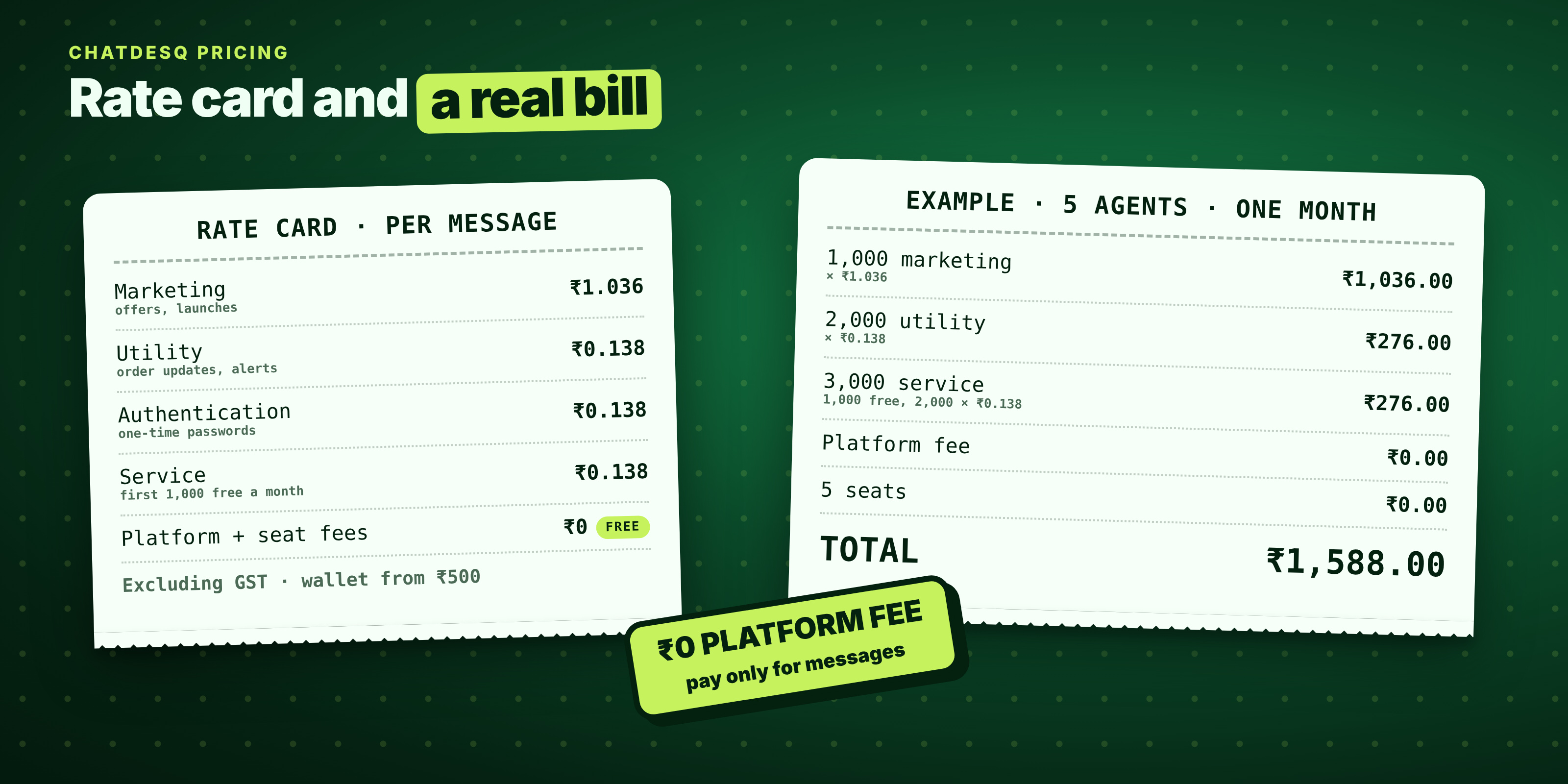
Figure 5: ChatDesq rates and an example bill (excluding GST)
| Rate card (per message) | Rate |
|---|---|
| Marketing | ₹1.036 |
| Utility | ₹0.138 |
| Authentication | ₹0.138 |
| Service (first 1,000 free a month) | ₹0.138 |
| Platform + seat fees | ₹0 |
| Example: 5 agents, one month | Amount |
|---|---|
| 1,000 marketing × ₹1.036 | ₹1,036.00 |
| 2,000 utility × ₹0.138 | ₹276.00 |
| 3,000 service (1,000 free, 2,000 × ₹0.138) | ₹276.00 |
| Platform fee | ₹0.00 |
| 5 seats | ₹0.00 |
| Total | ₹1,588.00 |
In that example, 5 agents send 1,000 marketing, 2,000 utility and 3,000 service messages: ₹1,036 + ₹276 + ₹276 (after 1,000 free service messages) = ₹1,588, with ₹0 for the platform and seats. Check the pricing page for current rates, try the WhatsApp cost calculator with your volumes, or see the shared inbox your team would use.
For more detail, read WhatsApp Business API pricing in India or see how the ₹0 platform fee works.
Frequently Asked Questions
What is the cheapest WhatsApp API pricing model?
It depends on your volume and team size. With equal message rates, a model with no platform or seat fees is usually cheaper.
Does Meta charge per conversation or per message?
Per delivered message. Conversation-based pricing ended on 1 July 2025. New to the WhatsApp API? Start with the WhatsApp guide.
Are replies to customers free?
Replies inside the 24-hour window are free for the first 1,000 per number each month, then charged.
Do more agents mean a higher bill?
Only if your provider charges per seat. With pay per message, team size does not change the price.
Are GST and message charges separate?
Yes. Listed rates exclude GST, which is added to your invoice.
Want to see your own monthly bill?
Try the WhatsApp cost calculator.
Source: Meta, Pricing on the WhatsApp Business Platform, checked 23 November 2026. Rates and examples exclude GST and can change; check the pricing page for current rates.
Written by
Social media Marketer, Chatdesq
She writes practical guides on WhatsApp lead follow-up, WhatsApp marketing, templates and automation for Indian businesses.