Black Friday and Christmas Sale Messages on WhatsApp: 5 Examples for D2C Brands
Five WhatsApp sale messages for Black Friday and Christmas: copy, send timing, opt-in rules and cost (₹1.036 per marketing message, excl. GST)
Contents▾
- Key facts at a glance
- What are WhatsApp sale messages?
- Who can you send sale messages to?
- When should you submit your sale templates?
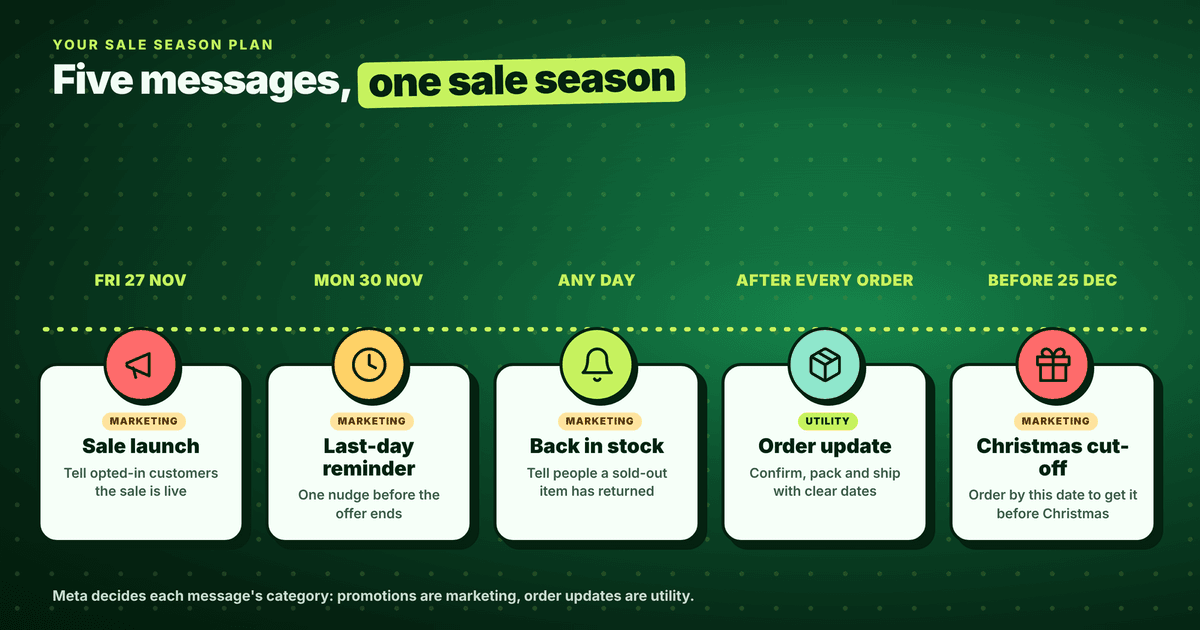
- What are 5 sale message examples for D2C brands?
- What goes in each placeholder
- The five messages at a glance
- How many sale messages should you send?
- How do you run a WhatsApp sale campaign? (5 steps)
- What does a sale campaign cost on ChatDesq?
- Frequently Asked Questions
- Can I send sale messages to anyone?
- How early should I submit sale templates?
- How much does a sale message cost?
- How many sale messages should I send?
- Can I add images or use Hindi?
- Ready to plan your sale messages?
Sale season is when your customers get the most messages, so yours has to be clear, timely and welcome. This guide gives you five WhatsApp sale messages for Black Friday and Christmas, with copy you can adapt, when to send each one and the rules to follow. Black Friday falls on 27 November 2026.
In this guide: opt-in rules · template timing · 5 examples · how many to send · cost
Quick answer: Send sale messages on WhatsApp only to customers who agreed to hear from you, using templates approved by Meta, and submit each template at least 2 days early. Cover five moments: the sale launch, a last-day reminder, back-in-stock alerts, order updates and a Christmas cut-off. A marketing message costs ₹1.036 on ChatDesq, GST extra.
Key facts at a glance
- Who can get them: only customers who opted in to messages from your brand.
- What you need: the WhatsApp Business API and approved templates. WhatsApp only lets you send a normal message within 24 hours of a customer's last message, so sale messages need an approved template.
- When to submit: at least 2 days before you need each template.
- Cost: ₹1.036 per marketing message on ChatDesq, GST extra, with a ₹0 platform fee.
What are WhatsApp sale messages?
They are template messages a brand sends first, such as a sale launch or a reminder. Meta, the company that owns WhatsApp, puts each one in a category: promotions are marketing messages, and order updates are utility messages that cost less. Because you start the chat, you must use a template approved by Meta.
Who can you send sale messages to?
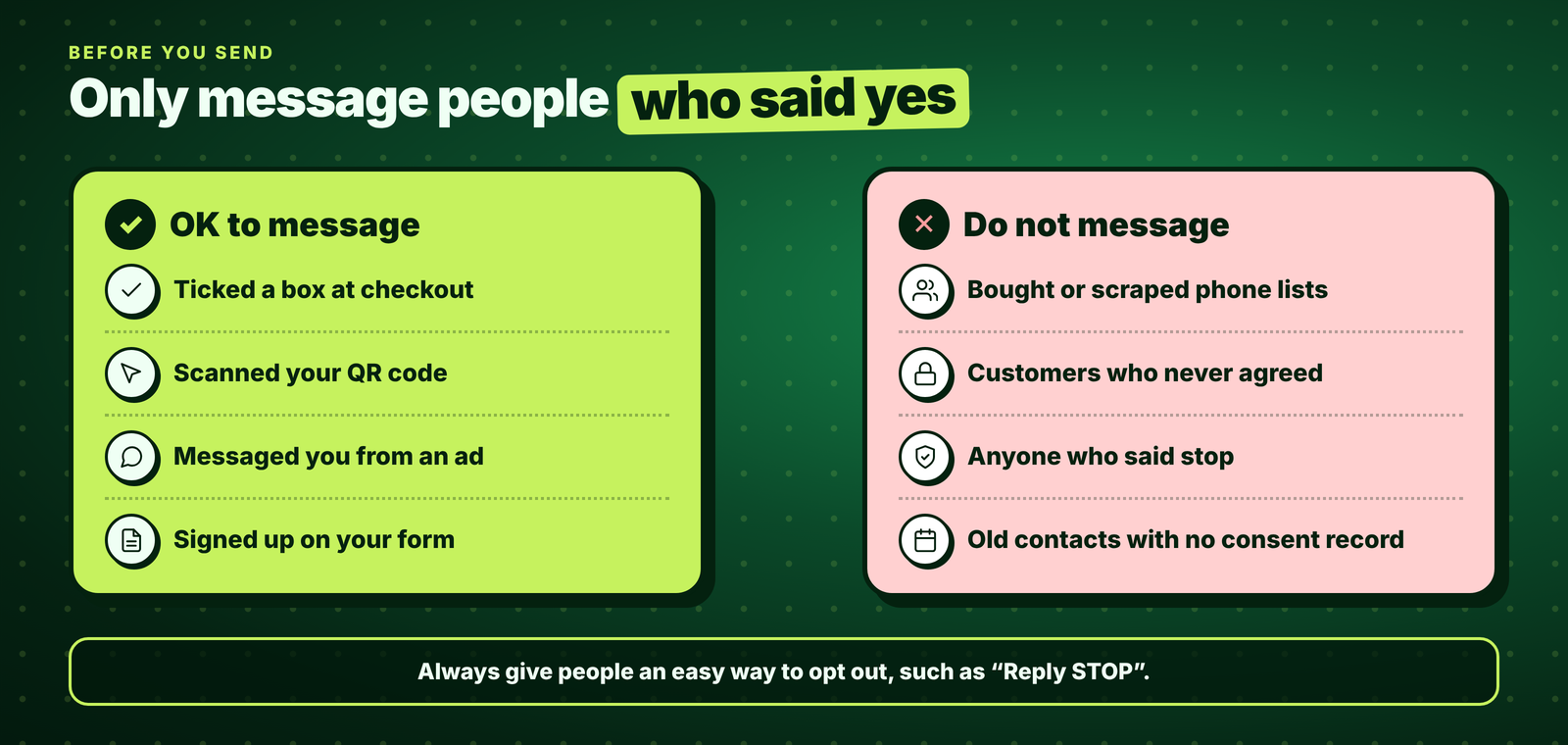
Send sale messages only to customers who agreed to hear from you. People opt in by ticking a box at checkout, scanning your QR code, messaging you from an ad or signing up on a form.
Never use bought lists. Add an easy way to opt out, such as “Reply STOP”. Meta may also stop delivering marketing messages to people who ignore them, so quality matters as much as reach.
| OK to message | Do not message |
|---|---|
| Customers who ticked a box at checkout | Bought or scraped phone lists |
| People who scanned your QR code | Customers who never agreed |
| People who messaged you from an ad | Anyone who said stop |
| People who signed up on your form | Old contacts with no consent record |
When should you submit your sale templates?
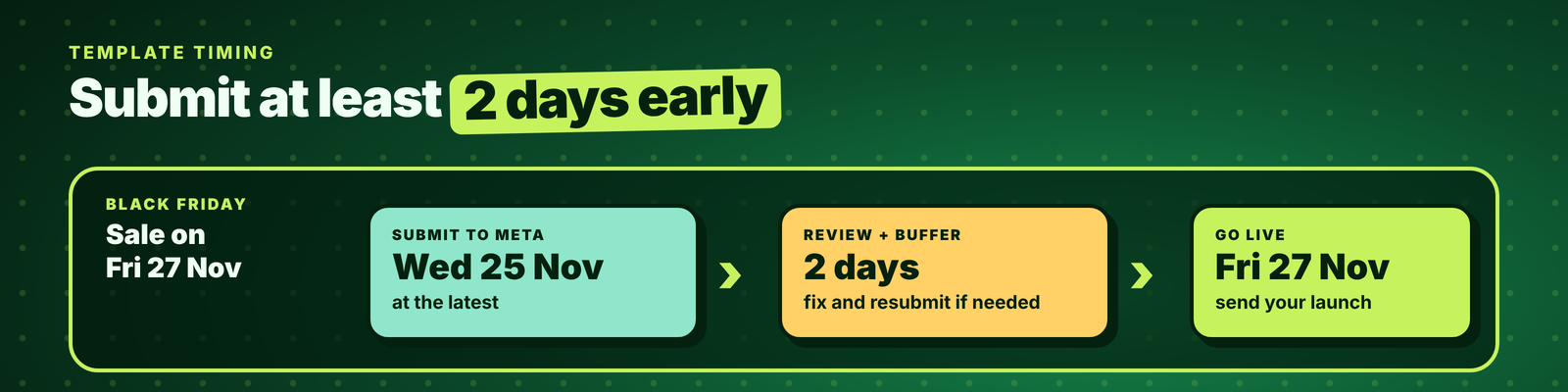
Submit every sale template to Meta at least 2 days early. Approval is often quick, but a rejection needs time to fix and resubmit.
For Black Friday on Friday 27 November, submit by Wednesday 25 November. For the Christmas cut-off message, submit at least 2 days before you send it, which is about a week before your last order date.
| Template | Send on | Submit to Meta by (at the latest) |
|---|---|---|
| Sale launch | Fri 27 Nov | Wed 25 Nov |
| Last-day reminder | Morning of your last sale day | Wed 25 Nov |
| Back in stock | When a sold-out item returns | Wed 25 Nov |
| Order update | After every order | Wed 25 Nov |
| Christmas cut-off | About a week before your last order date | 2 days before you send it |
What are 5 sale message examples for D2C brands?
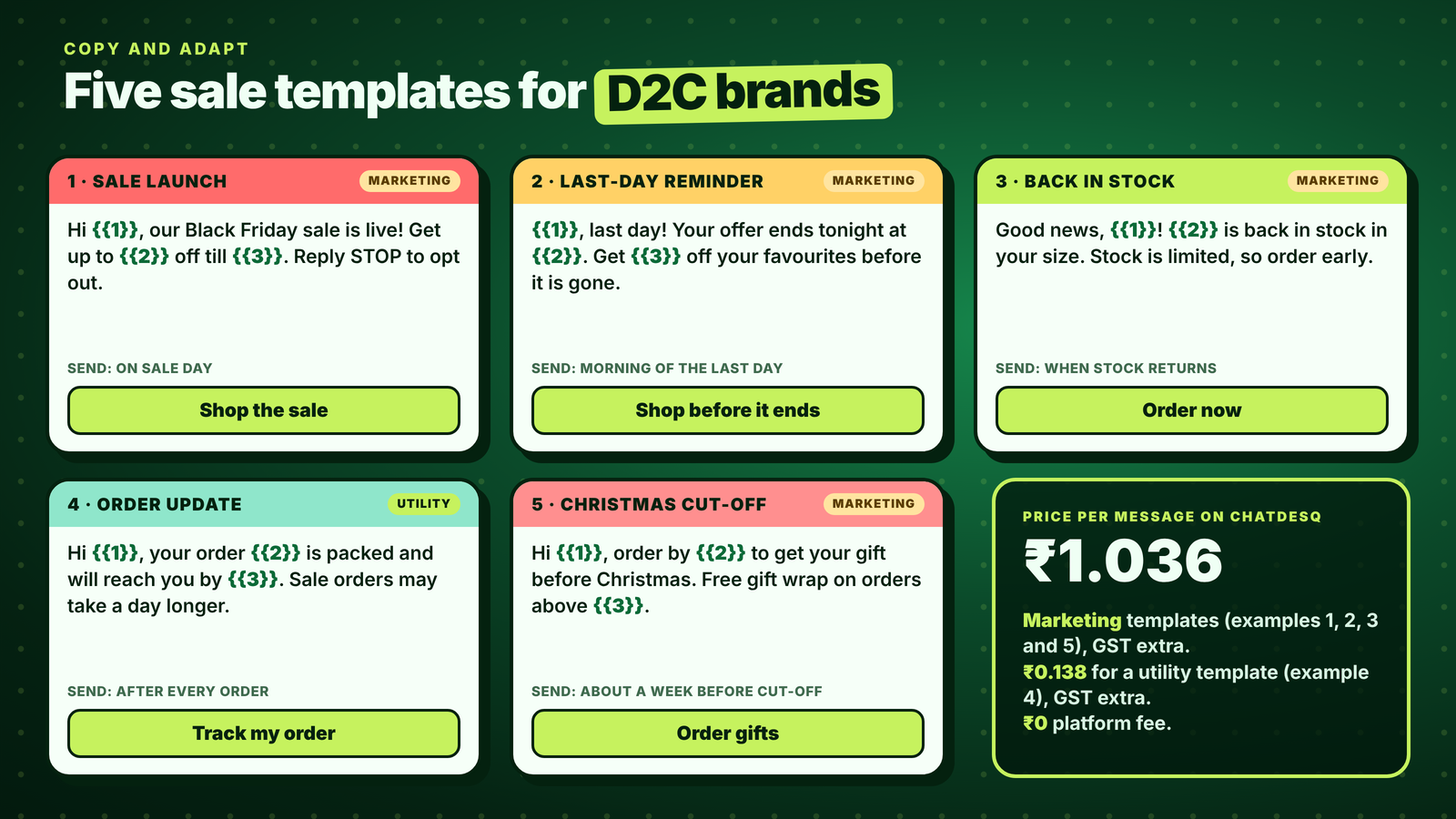
Replace {{1}}, {{2}} and {{3}} with your own details, such as the customer's name, the offer, an order number, an amount or a date. Add a button that opens your product page.
1. Sale launch (marketing). Send it on the first morning of the sale.
Hi {{1}}, our Black Friday sale is live! Get up to {{2}} off till {{3}}. Reply STOP to opt out. [Shop the sale]
2. Last-day reminder (marketing). Send it on the morning of the last day, with the real deadline.
{{1}}, last day! Your offer ends tonight at {{2}}. Get {{3}} off your favourites before it is gone. [Shop before it ends]
3. Back in stock (marketing). Send it when a sold-out item returns, to people who asked about it.
Good news, {{1}}! {{2}} is back in stock in your size. Stock is limited, so order early. [Order now]
4. Order update (utility). Send it after every order so customers are not left guessing during the rush.
Hi {{1}}, your order {{2}} is packed and will reach you by {{3}}. Sale orders may take a day longer. [Track my order]
5. Christmas cut-off (marketing). Send it about a week before the last order date for delivery by 25 December.
Hi {{1}}, order by {{2}} to get your gift before Christmas. Free gift wrap on orders above {{3}}. [Order gifts]
What goes in each placeholder
| Template | {{1}} | {{2}} | {{3}} |
|---|---|---|---|
| 1. Sale launch | Customer name | Discount | Sale end date |
| 2. Last-day reminder | Customer name | Closing time | Discount |
| 3. Back in stock | Customer name | Product name | not used |
| 4. Order update | Customer name | Order number | Delivery date |
| 5. Christmas cut-off | Customer name | Last order date | Minimum order for free gift wrap |
The five messages at a glance
| Message | Send when | Type | Price per message (excl. GST) |
|---|---|---|---|
| 1. Sale launch | First morning of the sale | Marketing | ₹1.036 |
| 2. Last-day reminder | Morning of the last day | Marketing | ₹1.036 |
| 3. Back in stock | When a sold-out item returns | Marketing | ₹1.036 |
| 4. Order update | After every order | Utility | ₹0.138 |
| 5. Christmas cut-off | About a week before the last order date | Marketing | ₹1.036 |
How many sale messages should you send?
Three or four per customer across the sale is plenty. Send the launch and the last-day reminder to your opted-in list, and keep back-in-stock and order messages for the people they apply to. Skip the reminder for anyone who has already bought.
You can add an image header to templates and write them in Hindi or another language your customers use.
How do you run a WhatsApp sale campaign? (5 steps)
- Build your list from opted-in customers and segment it by past buyers and new leads.
- Write the templates and submit them at least 2 days early.
- Schedule your broadcasts for launch and last day with ChatDesq broadcasts.
- Answer replies fast from one team inbox, using the shared inbox.
- Review results and set up your next sale in advance.
What does a sale campaign cost on ChatDesq?
A marketing message costs ₹1.036 on ChatDesq (GST extra), and a utility message such as an order update costs ₹0.138. ₹0 platform fee. Pay only for the messages you send.
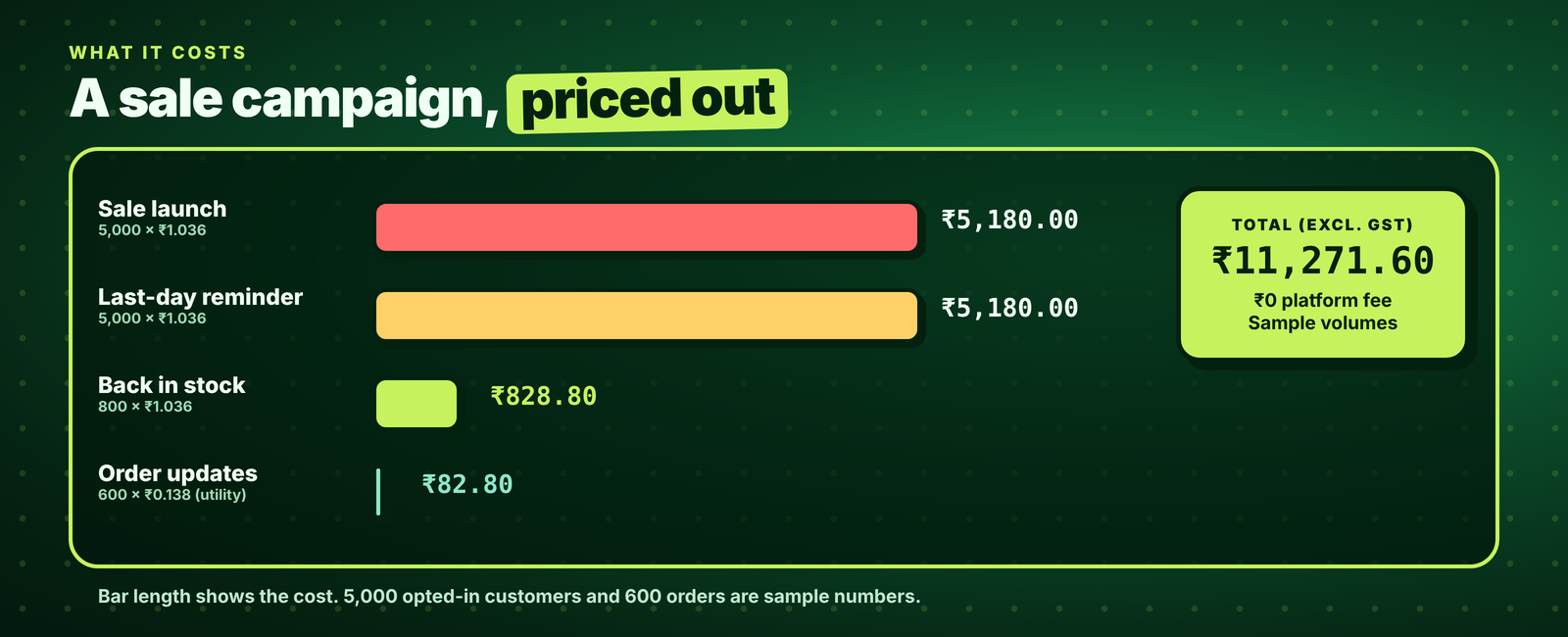
Sending a launch message to 5,000 opted-in customers costs 5,000 × ₹1.036 = ₹5,180, excluding GST.
No quarterly or yearly plan. Top up from ₹500 and stop whenever you like.
| Message | Volume (sample) | Cost (excl. GST) |
|---|---|---|
| Sale launch | 5,000 × ₹1.036 | ₹5,180.00 |
| Last-day reminder | 5,000 × ₹1.036 | ₹5,180.00 |
| Back in stock | 800 × ₹1.036 | ₹828.80 |
| Order updates (utility) | 600 × ₹0.138 | ₹82.80 |
| Total | ₹0 platform fee | ₹11,271.60 |
Check the pricing page for current rates, or plan your own numbers with the WhatsApp cost calculator.
Frequently Asked Questions
Can I send sale messages to anyone?
Send them only to customers who agreed to hear from you, and offer an easy opt-out.
How early should I submit sale templates?
At least 2 days early, so there is time to fix and resubmit if Meta rejects one.
How much does a sale message cost?
A marketing message costs ₹1.036 on ChatDesq, GST extra. Order updates are utility messages at ₹0.138.
How many sale messages should I send?
Three or four per customer across the sale. Skip reminders for people who already bought.
Can I add images or use Hindi?
Yes. Templates can include an image header and be written in your customers' language.
Ready to plan your sale messages?
ChatDesq is WhatsApp marketing with no plan, no lock-in, and a person who answers. A real person replies within 2 hours, Mon-Sat, 10:00-19:00 IST.
See ChatDesq broadcasts, or read about WhatsApp for ecommerce.
Source: ChatDesq pricing (chatdesq.com/pricing). Rates exclude GST and can change; check the pricing page for current rates. Sample numbers are for illustration.
Written by
Social media Marketer, Chatdesq
Surya Ranjha is a digital marketer and content writer passionate about technology, AI, and the evolving world of digital communication. He specializes in creating insightful, research-driven content on SEO, WhatsApp marketing, SaaS, and emerging digital trends. With a focus on making complex ideas accessible and actionable, he aims to help businesses and readers navigate the digital landscape with clarity and confidence.