What Is WhatsApp CRM? How It Helps You Track Your Customers
A WhatsApp CRM puts every customer chat and detail in one place, and this blog explains how it works and how to set one up.
Contents▾
- Key facts at a glance
- What is a WhatsApp CRM?
- How does a WhatsApp CRM work?
- How does a WhatsApp CRM help you track your customers?
- What are the key features of a WhatsApp CRM?
- How can businesses use a WhatsApp CRM?
- Which setup should you choose?
- How do you get started?
- When does ChatDesq make sense?
- Frequently Asked Questions
- What is a WhatsApp CRM?
- Is a shared inbox the same as a WhatsApp CRM?
- Can I connect WhatsApp to my existing CRM?
- Do I need the WhatsApp Business API?
- Can multiple agents use it?
- Ready to track every WhatsApp customer in one place?
If your team answers customers on WhatsApp, you need to know who each customer is, what they asked and who owns the chat. A WhatsApp CRM does that. This guide explains what it is, how it works and how to set one up, step by step.
In this guide: what it is · how it works · what it tracks · features · setup steps
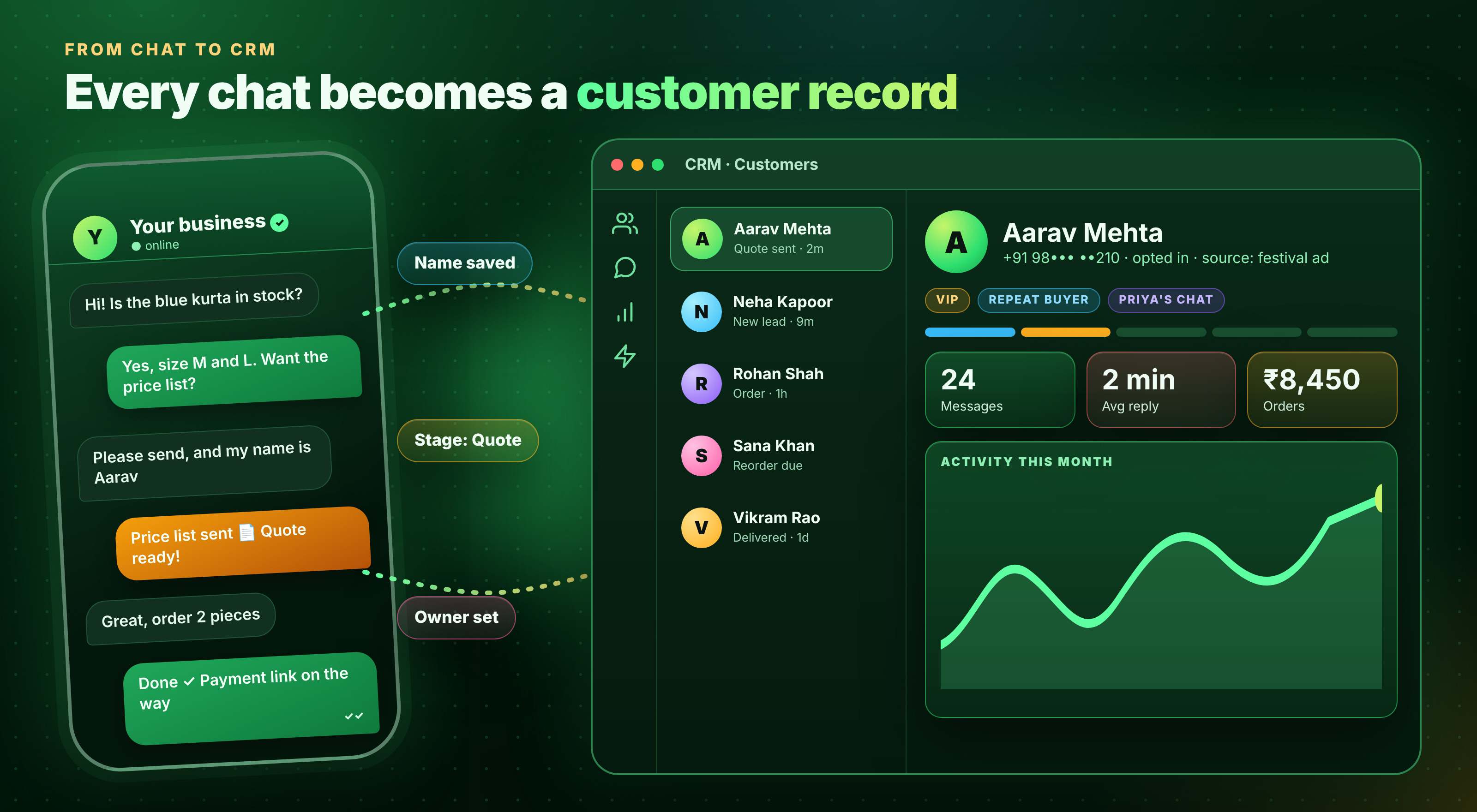
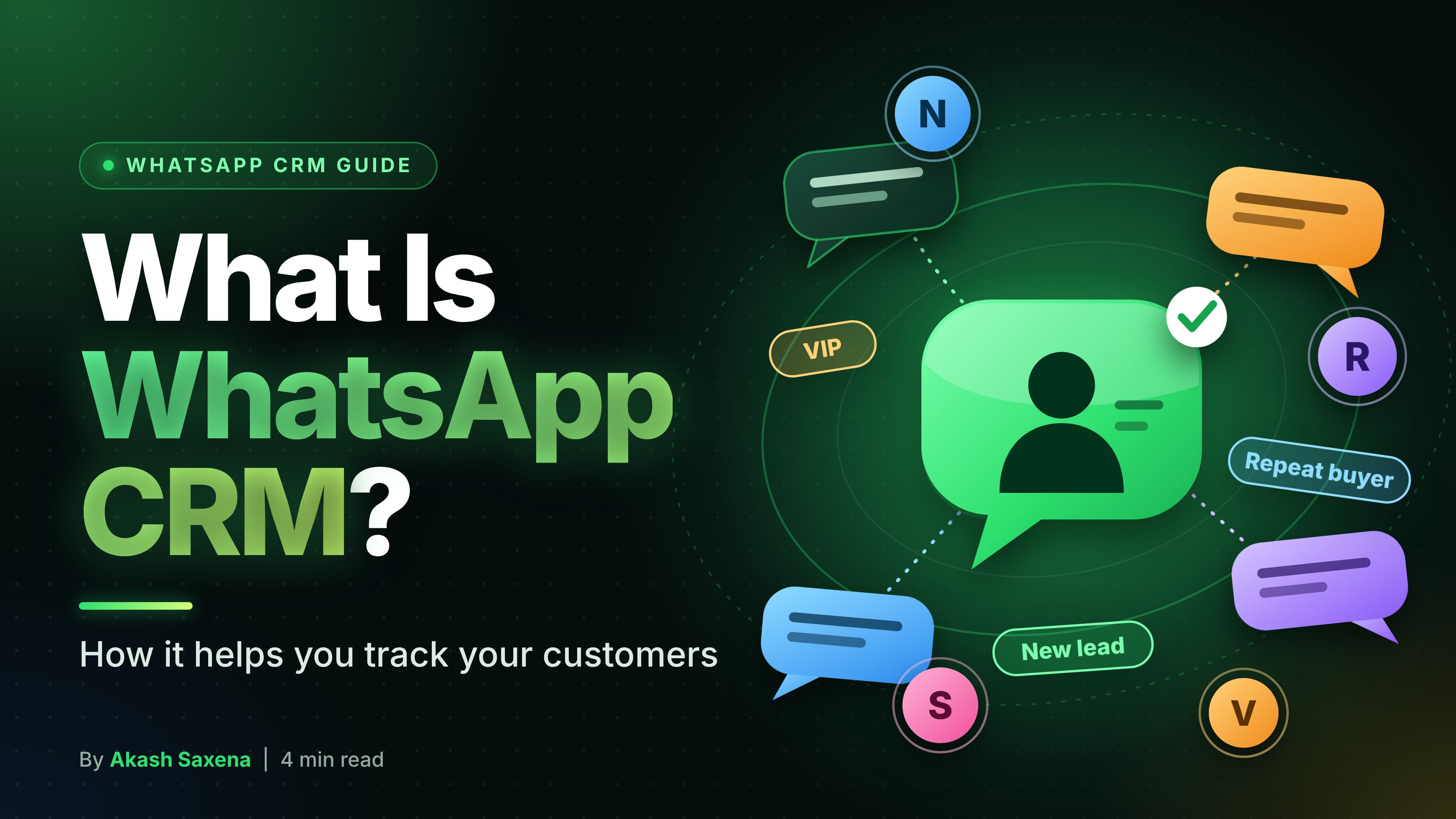
Figure 1: From scattered chats to one customer record
Quick answer: A WhatsApp CRM connects your WhatsApp conversations with customer profiles, chat history, tags, pipeline stages and team ownership, so every customer is tracked in one place. Your team sees who the customer is, what they asked, who owns the chat and what happens next.
Key facts at a glance
- Best for: sales, support and marketing teams that talk to customers on WhatsApp every day.
- Tracks: contact details, source, chat history, tags, stage, owner, orders and response time.
- Two setups: a WhatsApp-first platform, or WhatsApp connected to a CRM you already use.
- Needs: the WhatsApp Business API through a provider, and customer consent.
What is a WhatsApp CRM?
A WhatsApp CRM is a setup that links WhatsApp conversations with customer relationship management features such as profiles, notes, stages, assignments and automation. A normal CRM stores customer data, but the chats often live outside it. A WhatsApp CRM closes that gap.
It is not the same as the WhatsApp Business App. The app is a phone tool for one small team. A WhatsApp CRM runs on the WhatsApp Business API, so many agents can work together and every chat updates a shared record.
How does a WhatsApp CRM work?
Each time a customer writes in, five things happen behind the scenes.
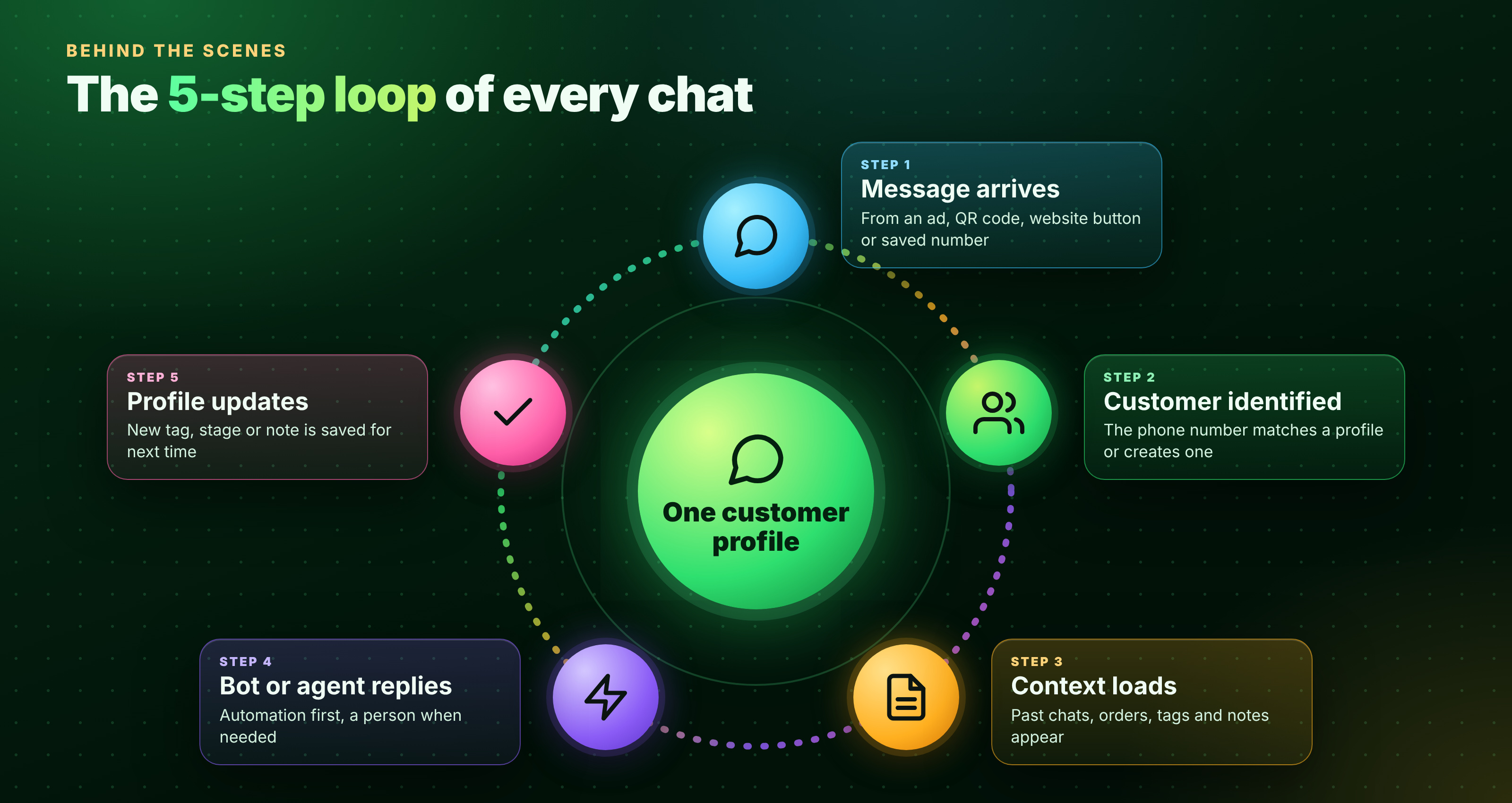
Figure 2: The five steps of a WhatsApp CRM conversation
- The customer messages you. It can start from an ad, a QR code, a website button or a saved number.
- They are identified. The system matches the phone number to a profile or creates a new one.
- Context loads. Past chats, orders, tags and notes appear next to the conversation.
- A bot or agent replies. Automation handles simple questions, and a person takes over when needed.
- The profile updates. The new tag, stage or note is saved for the next conversation.
How does a WhatsApp CRM help you track your customers?
Tracking is the main reason teams adopt one. It saves the details most businesses lose in a busy inbox.
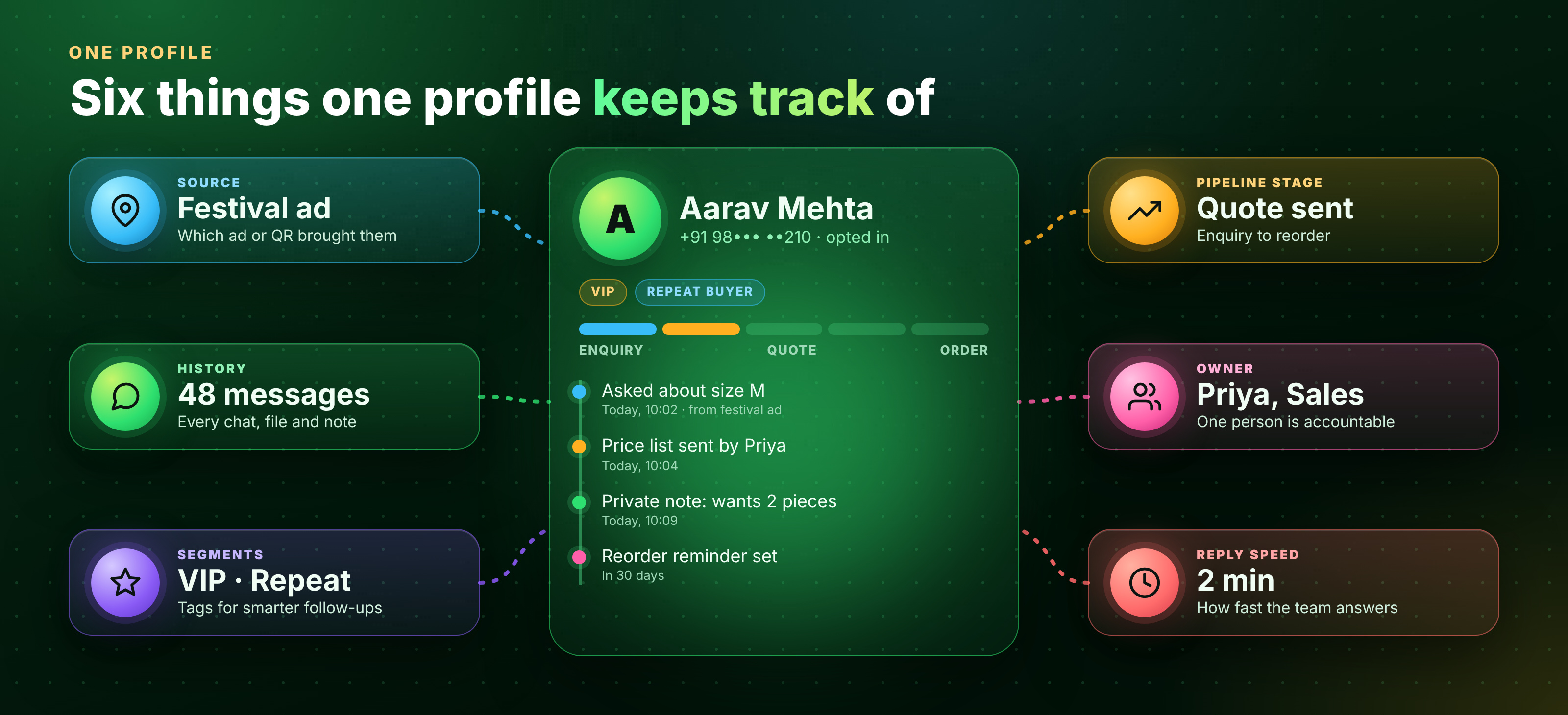
Figure 3: What one customer profile keeps track of
- Source: which ad, QR code or page brought the customer in.
- History: every message, file and note in one timeline.
- Segments: tags such as VIP, new lead or repeat buyer.
- Pipeline stage: enquiry, quote, order, delivered or reorder due.
- Ownership and speed: who handled the chat and how fast they replied.
What are the key features of a WhatsApp CRM?
- Shared team inbox: many agents on one number, so every chat can have an owner. See the ChatDesq shared inbox.
- Chat assignment and routing: new chats go to the right team by tag, keyword or language.
- Automation and chatbots: instant replies, lead capture and handoff to a human. Read about WhatsApp automation.
- Broadcasts and segments: send approved templates to the right group.
- Integrations: sync with your online store, CRM or other business tools.
- Analytics: response time, resolved chats and conversions.
How can businesses use a WhatsApp CRM?
- Lead capture: qualify enquiries from ads and websites.
- Sales: follow up quotes and move deals through stages.
- Support: resolve questions with full history.
- Marketing: send targeted offers and cart reminders.
- Retention: remind customers to reorder and win back quiet buyers.
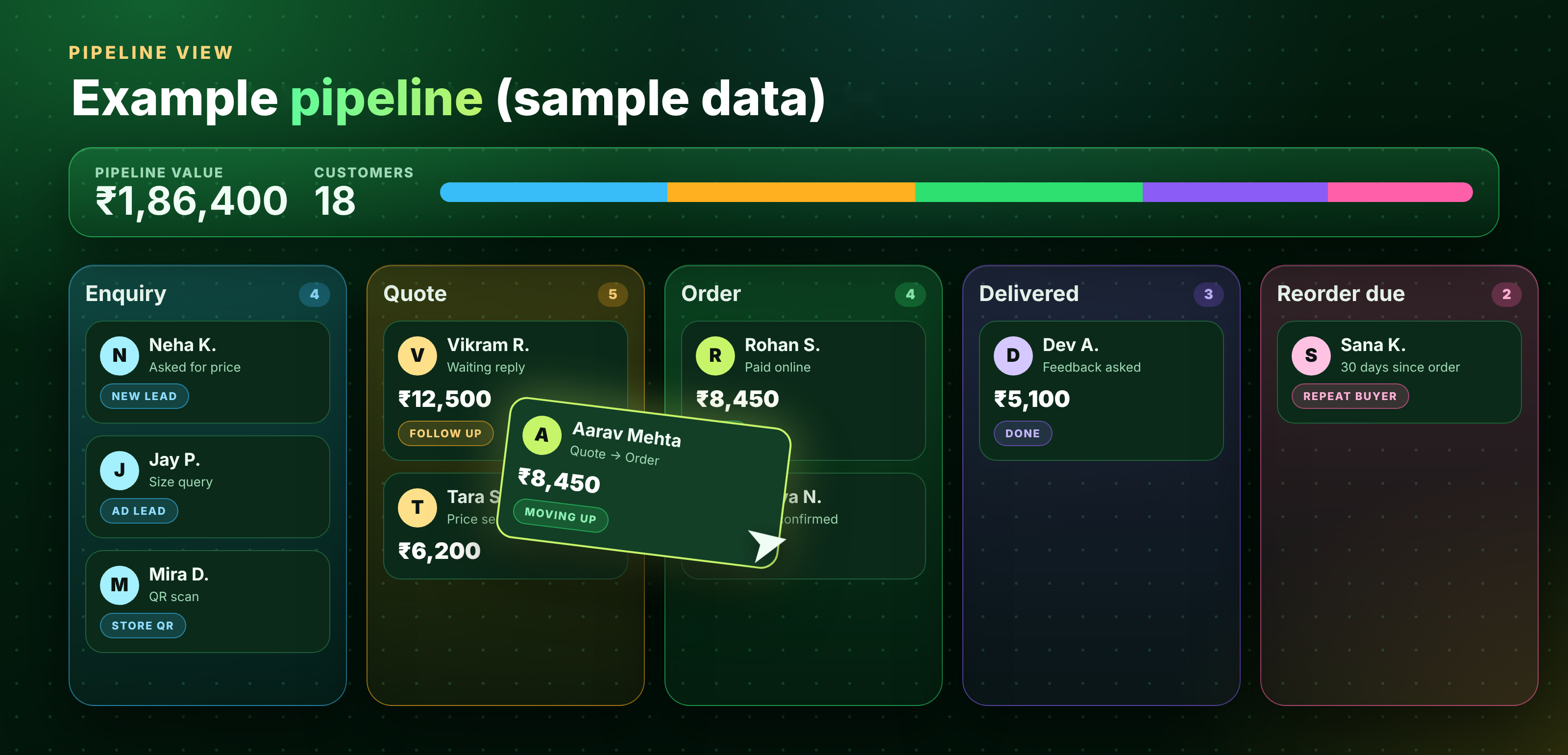
Figure 4: Example of one customer moving through a pipeline
Which setup should you choose?
| Choose this | When | Trade-off |
|---|---|---|
| WhatsApp-first CRM | WhatsApp is your main sales and support channel | Less depth than a large enterprise CRM |
| Existing CRM + WhatsApp | Your team already lives in a CRM | Needs setup to match details like name and phone between both tools |
How do you get started?
Follow these five steps. Setup time depends on your provider, and template approval from Meta is often the slowest part.
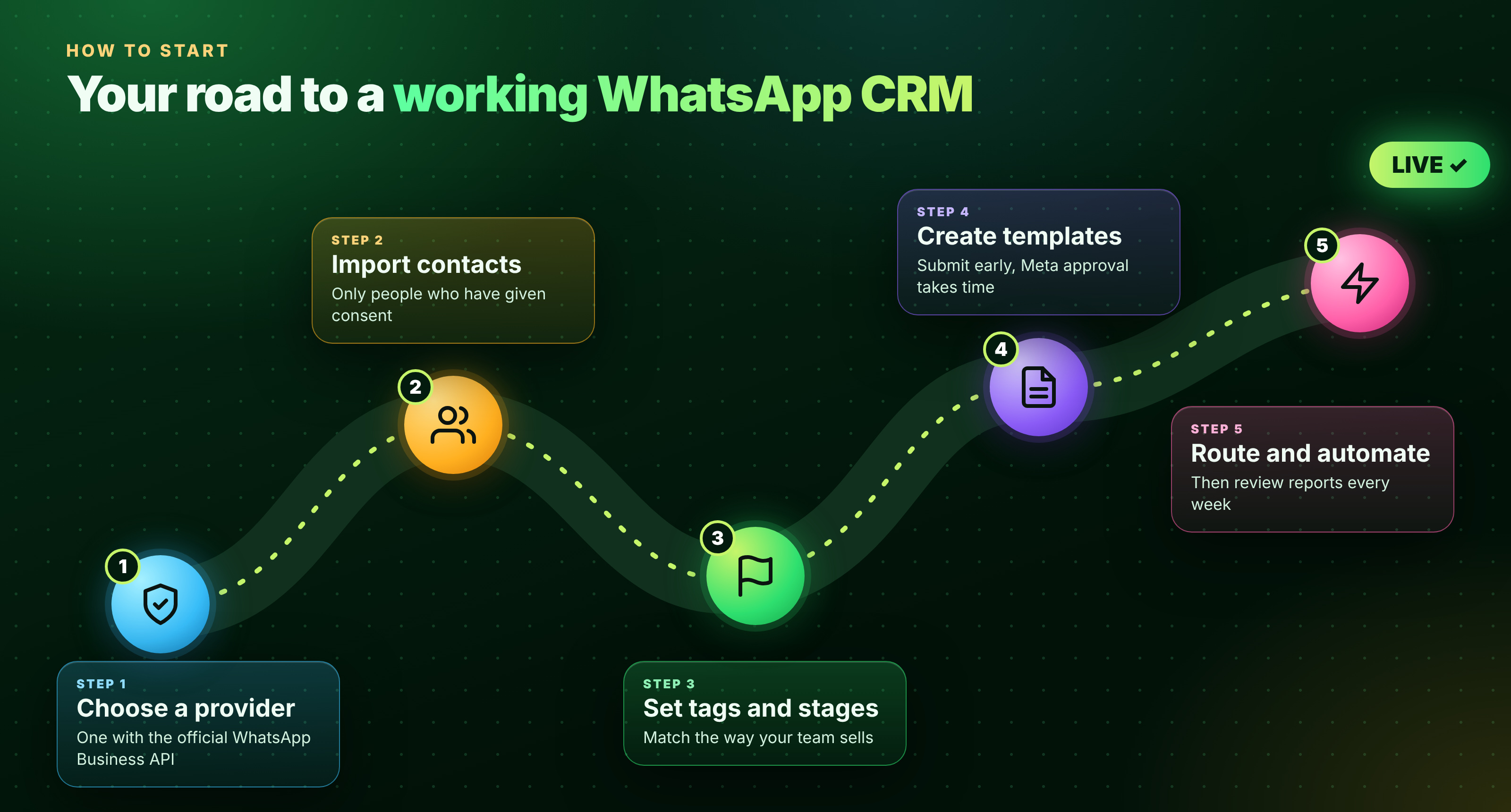
Figure 5: Five steps to set up a WhatsApp CRM
- Choose a provider that offers the official WhatsApp Business API.
- Import contacts that have given consent.
- Set tags and stages that match your sales process.
- Create templates and get them approved by Meta.
- Add routing and automation, then review reports weekly.
Follow the rules: get opt-in, use approved templates for business-started chats, and offer an easy opt-out. Free-form replies are allowed within 24 hours of a customer message.
When does ChatDesq make sense?
If several people answer WhatsApp chats, or leads slip through handoffs, move to a WhatsApp CRM. ChatDesq combines an official API connection, a shared inbox, Meta-approved broadcasts and no-code automation in one workspace.
- ₹0 platform fee. Pay only for the messages you send.
- No quarterly or yearly plan. Top up from ₹500 and stop whenever you like.
- A real person replies within 2 hours, every day, 10:00-19:00 IST.
Check the pricing page or estimate your spend with the WhatsApp cost calculator.
Frequently Asked Questions
What is a WhatsApp CRM?
A system that links WhatsApp chats with customer profiles, stages, owners and automation, so every customer is tracked in one place.
Is a shared inbox the same as a WhatsApp CRM?
No. A shared inbox manages chats. A CRM also stores profiles, stages and history.
Can I connect WhatsApp to my existing CRM?
Yes, through a native integration, a platform or a custom API.
Do I need the WhatsApp Business API?
Yes, for multiple agents, automation and CRM sync. The free app is limited.
Can multiple agents use it?
Yes. Agents share one number, with roles and chat assignment.
Ready to track every WhatsApp customer in one place?
Source: WhatsApp Business Platform documentation by Meta. Screens shown are sample data for illustration.
Written by
Product Manager, ChatDesq
Akash leads product at ChatDesq. He writes about WhatsApp Business API pricing, campaigns and customer support for Indian businesses.